Your Living Room is Watching You: The Unseen Cost of Modern Entertainment
I was talking to my wife about a specific brand of pizza, and ten minutes later, my TV showed me an ad for it. It’s not a coincidence; it’s creepy. Most people don't realize their Smart TV is basically a giant phone that tracks every single thing they watch. I got tired of being spied on in my own house, so I spent the weekend figuring out how to shut it all down. Here is my simple guide to making your TV 'dumb' again so you can actually have some privacy.
But what if a silent stranger was sitting right next to you, writing down every single thing you watched?
That is the quiet reality of modern home entertainment. Many of us feel a strange sense of unease when we open our phones later and see ads tailored specifically to a movie we just watched on television. It feels like a direct invasion of our private sanctuary, creating an undercurrent of anxiety and mistrust.
You paid hard-earned money for your device, yet it treats your personal habits as a product to sell to advertisers. This constant, invisible monitoring erodes our peace of mind. We should be able to relax in our own homes without worrying about who is harvesting our digital footprints.
The Hidden Engine Inside Your Screen: What is ACR?
How does your screen actually know what you are viewing? The answer lies in a highly sophisticated technology built into almost every screen sold today.
Don't Want Your TV Spying? Read This First:
- ACR is the Enemy: This is the tech that "fingerprints" your screen to see what you watch. Switch it off first.
- Terms of Service are Traps: Most tracking starts because you clicked "Agree All" during setup. You can go back and "un-agree."
- The Remote is a Mic: If your remote has a voice button, it’s likely listening for "wake words."
- Update Warning: Every time your TV does a software update, check your privacy settings again. They often reset to "On" by default.
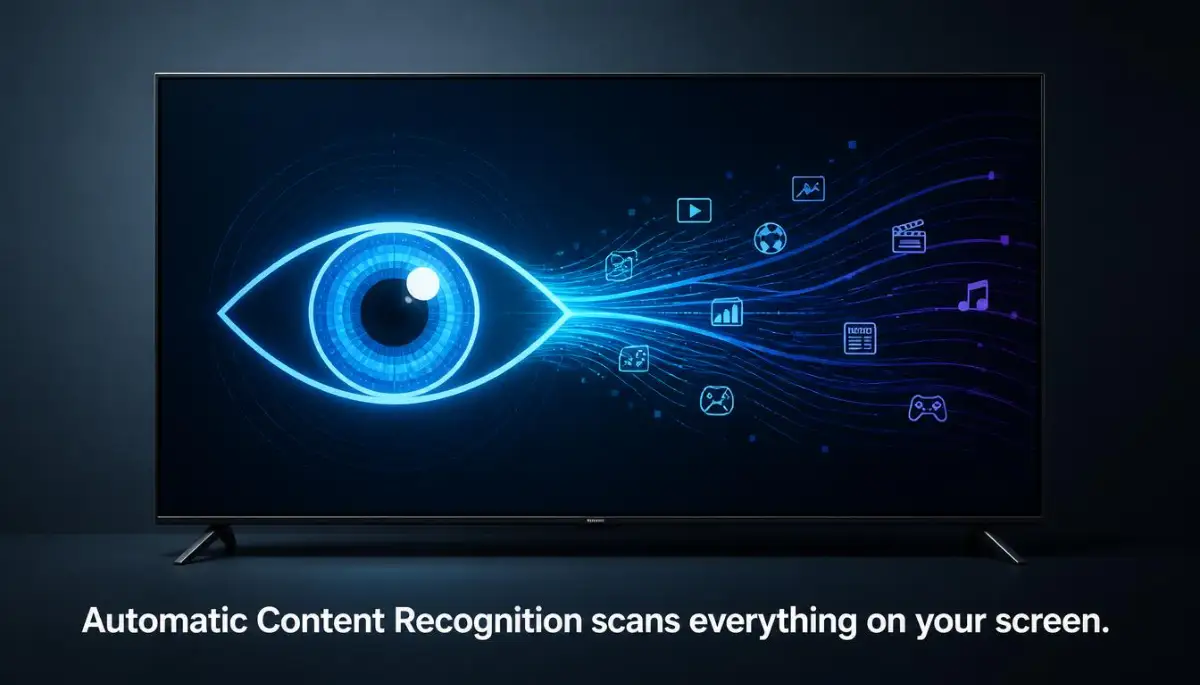
Your television uses a technology called Automatic Content Recognition, or ACR. This system works like a digital fingerprint scanner for video. It takes small samples of the pixels on your screen every second.
Then, it matches those samples against a massive global database of movies, shows, and advertisements. It does not matter if you are watching cable, a streaming app, or playing a video game. ACR identifies the content instantly.
Once the system matches the footprint, it logs your viewing data. This log is then shared with data brokers and advertisers. This is how brands build a highly detailed profile of your daily life.
Myth vs Reality: The Truth About Smart TV Data Collection
Let us look at some common myths surrounding smart television privacy. Many people believe simple fixes will protect their home network.
Why TV Manufacturers Want Your Viewing Data
You might wonder why television companies are so eager to track your habits. The reality comes down to modern business models.
They make up for this low margin by selling your data. Advertisers pay top dollar to know exactly what demographics watch certain shows. By tracking your habits, the television manufacturer turns your living room into a continuous stream of recurring revenue.
The "Spy-Scale": How Much Does Your TV Brand Track?
The Brand-by-Brand Security Blueprint
You do not have to accept this constant data harvesting. We can disable these settings manually on every major television platform. Let us walk through the exact steps to reclaim your home privacy.
Engagement Text (to be placed directly above the video embed in bold):
If you want to see exactly how to navigate these confusing menus on your screen, we highly recommend watching the step-by-step video guide below. It makes the setup process incredibly simple, and once you finish watching, keep reading to get the exact text instructions for your specific TV brand!
Samsung TVs use an operating system that tracks your viewing habits through their terms of service. You agreed to this when you first set up the device. Luckily, you can opt out of these policies at any time.
First, grab your remote control and press the Home button. Navigate over to the Settings gear icon and open it. From there, select All Settings and go to the General & Privacy section.
Inside this menu, look for a sub-menu called Terms & Privacy. Open the Privacy Choices document. You will see several options here, including Viewing Information Services and Interest-Based Advertising.
Uncheck both of these options immediately. This stops the television from analyzing the pixels on your screen. Your device will still stream movies perfectly, but it will stop sharing your habits with advertisers.
LG televisions use webOS, which features a highly active tracking system. They call their tracking service Live Plus. This service is designed to recommend content based on what is currently playing.
To turn this off, press the Settings button on your LG remote control. Scroll down to find All Settings and click on it. Next, navigate to the General tab.
Inside the General menu, look for an option named System. From there, click on Additional Settings. You will see a toggle switch labeled Live Plus.
Flip this toggle switch to the Off position. Next, go back to the General menu and select User Agreements. You can uncheck the agreement for Viewing Information and Personalized Advertising here.
Roku devices and Roku-powered smart TVs are incredibly popular due to their simple interface. However, they are also highly efficient at tracking your usage data. They use ACR under a setting called Smart TV Experience.
To disable this, press the Home button on your Roku remote. Scroll down the left sidebar and select Settings. From there, open the Privacy menu.
Next, click on Smart TV Experience. You will see an option labeled Use Info from TV Inputs. Uncheck this box immediately to stop the system from scanning your HDMI inputs.
After that, go back to the Privacy menu and select Advertising. Toggle the setting for Limit Ad Tracking to the On position. This prevents Roku from sharing your unique advertising ID with third-party companies.
Vizio was one of the earliest companies to face public scrutiny for tracking user viewing habits. They use a system called Viewing Data to log everything you watch on screen. They make it relatively easy to disable, but the setting is buried deep in the menus.
Start by pressing the Menu button on your Vizio remote control. Scroll down and select the System option. From there, look for a menu labeled Reset & Admin.
Inside this menu, highlight Viewing Data. Use your remote to change this setting from On to Off.
You should also look for a setting called Interest-Based Advertising. Turn this setting off as well. This prevents Vizio from building an advertising profile linked to your home IP address.
If you use an Amazon Fire TV stick or a television running Android TV, Google and Amazon are actively tracking your app usage. They do not use traditional ACR as much, but they log every app you open and how long you use it.
For Amazon Fire TV, go to the Settings menu on your home screen. Select Preferences and then open Privacy Settings. Turn off Device Usage Data and Collect App Usage Data, then disable Interest-Based Ads.
For Android TV or Google TV, navigate to Settings and select Privacy. Click on Ads and choose Opt out of Ads Personalization. You can also go to Usage & Diagnostics and turn the toggle switch off.
Expert Insights for Network-Wide Privacy Protection
Disabling settings on individual screens is a great first step. However, if you want complete peace of mind, you can take your network security to the next level.
Pro Tip: Use a Custom DNS Service
You can configure your home router to use a custom DNS service I made the huge mistake of only changing the settings on my main TV and completely forgot about our family's streaming sticks and tablets. When I finally checked our home router logs, I saw those other devices were still leaking our viewing habits to advertisers. My advice is to tackle your network at the router level so you do not have to waste hours manually fixing every single screen in your house. like NextDNS or AdGuard Home. These services allow you to block tracking domains at the router level. This means your smart TV cannot send data back to its servers even if a background setting tries to bypass your manual configurations.
By taking these steps, you regain control over your living room. You can enjoy your entertainment without feeling like you are being watched. True privacy starts with making conscious choices about the technology we bring into our homes.
Hardening Your Home Network Against Invisible Eyes
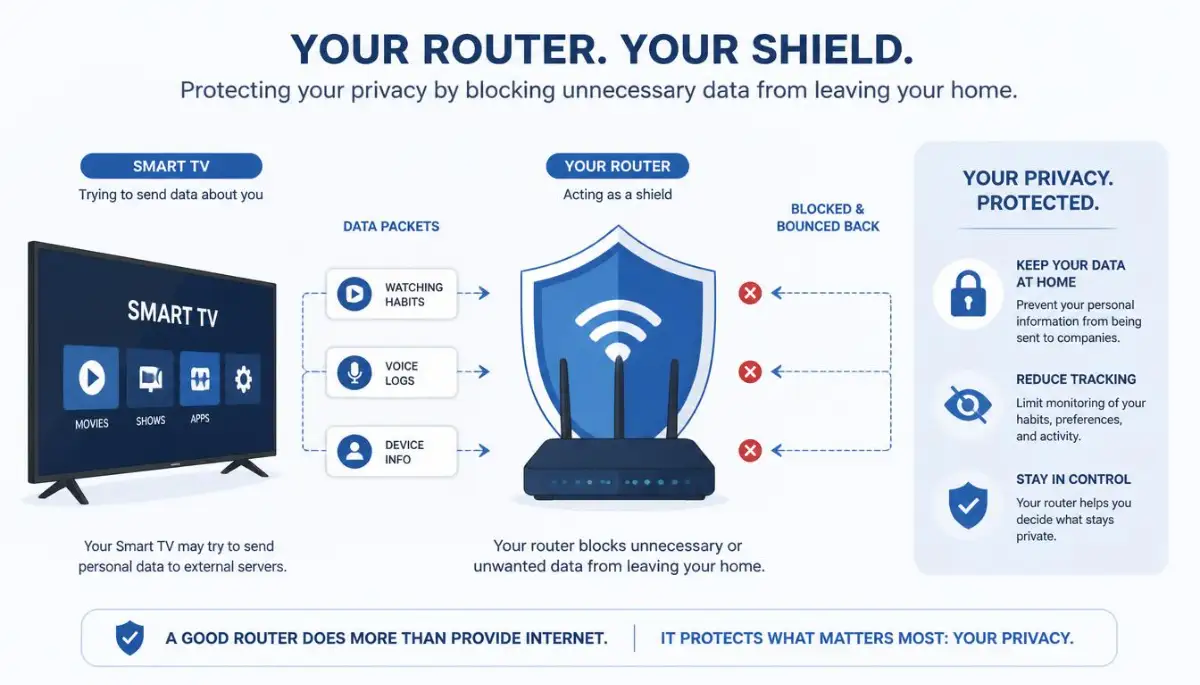
If you want to establish long-term protection, you must look beyond the standard settings on your screen. True digital privacy requires you to control the traffic at the gateway of your home.
Your router is the gatekeeper of your entire home network. By controlling what passes through this gateway, you protect every device at once. This includes game consoles, smart speakers, and your television.
A custom DNS service acts like a smart mail filter. When your television tries to send data to a tracking domain, the filter drops the request. The television continues to function normally, but your data never leaves your home network.
You can set up a service like NextDNS on your home router in under ten minutes. This service provides a clean dashboard where you can toggle specific blocklists designed for smart televisions.
Once active, these blocklists automatically intercept the server requests sent by Samsung, LG, and Vizio. According to independent studies, including a Princeton University research paper on smart TV tracking, these screens communicate with hundreds of advertising domains every hour. Blocking these domains prevents profiling without breaking your favorite streaming apps.
Many people spend hours configuring their home offices to be both productive and secure. If you operate your business from your living room, protecting your devices is just one part of your daily checklist. You might also want to look into maximizing your savings by learning about smart tax deductions for home-based solopreneurs to balance your business finances.
Securing Voice Control and Microphone Access
Modern remotes are no longer simple plastic tools with rubber buttons. Many of them now feature built-in microphones designed for voice search.
These microphones are connected to cloud-based voice recognition engines. When you speak into your remote, your voice file is sent to external servers for processing.
Sometimes, these remotes can trigger accidentally, recording private conversations in your living room. To prevent this, you should navigate to your device settings and locate the Voice Recognition menu.
Disable the "always-on" listening feature or the wake-word detection. If your remote requires you to press a physical button to activate the microphone, only use it when necessary. For maximum privacy, you can open the physical battery compartment of some advanced remotes and locate the tiny microphone hole to cover it with thick tape.
My "Low-Tech" Secret for High-Tech Privacy:
Even after I turned off all the software settings, I still felt weird about the microphone on my remote. I took a tiny piece of black electrical tape and covered the microphone hole on the remote. Voice search still works if I yell, but it stops the "always-on" background listening cold. It’s cheap, ugly, and works perfectly.
Disabling Broadcaster Interactive Services
There is another hidden tracking method that many users completely overlook. It is called HbbTV, or Hybrid Broadcast Broadband TV.
This technology allows local over-the-air broadcasters to insert interactive elements into traditional television signals. However, it also allows these local channels to track your viewing habits using your internet connection.
If you watch local channels using an antenna, you should disable this feature. Go to your television settings and search for Interactive Services or HbbTV.
Turn this toggle switch to the Off position. This simple change stops local broadcasting stations from linking your television viewing habits to your home IP address.
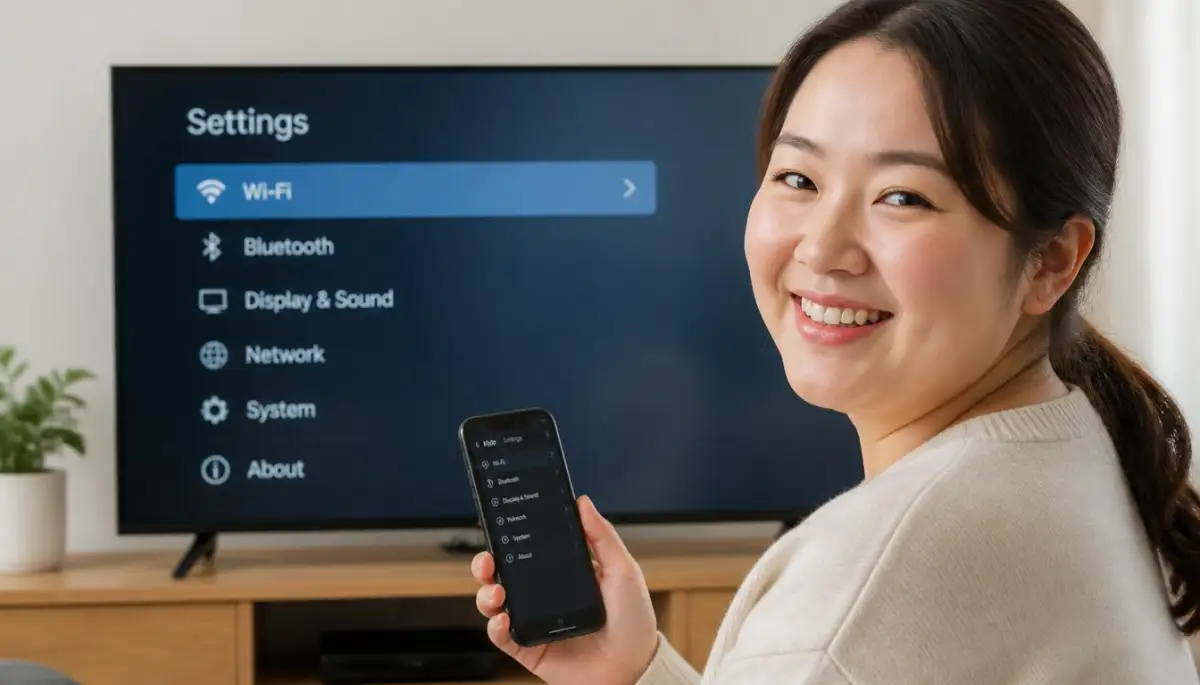
Missteps That Leave Your Digital Doors Open
Many well-meaning users make simple mistakes when trying to secure their home entertainment systems. These errors can easily undo all your hard work.
The most common mistake is blindly clicking Agree to All when your television prompts you for a system update. Manufacturers regularly update their firmware to improve performance and fix bugs.
However, these updates often reset your privacy choices or introduce brand-new user agreements. If you quickly click through the update prompts, you might accidentally opt back into tracking.
Always take an extra moment to read the checkboxes during any system update. If you see a button that says Customize, click it instead of accepting the default terms.
Sitting for extended periods of time in front of your smart screen can also take a toll on your overall well-being. It is easy to lose track of time when streaming your favorite shows. While you are securing your television, do not forget to monitor your health by spotting the subtle signs of prediabetes to stay healthy and active.
Relying on Ineffective Browser Settings
Another common trap is relying on the Do Not Track option inside your television's built-in web browser. Many users assume this single setting protects all their viewing data.
The truth is that "Do Not Track" is a voluntary request sent to websites. Most advertising networks and tracking scripts simply ignore this request.
Furthermore, this setting does not apply to the main operating system of your television or its built-in streaming apps. It only applies to the basic web browser app, which you rarely use anyway.
You must manually disable the core tracking agreements in the main system settings. Do not rely on web browser settings to protect your device.
Forgetting Connected Streaming Sticks and Accessories
When securing a home setup, it is easy to focus only on the main screen. However, external streaming sticks and smart soundbars have their own separate tracking policies.
If you plug a streaming stick into your television, that device is also collecting data. Devices like Apple TV, Amazon Fire Stick, and Roku keep detailed logs of your streaming habits.
You must go through the settings menu of every single connected device to disable their individual tracking features. Securing the television itself is not enough if your streaming stick is still sharing your data.
The Federal Trade Commission guidelines on smart TV tracking warn consumers that any internet-connected device in your living room can participate in data harvesting. Treat every connected accessory as a separate computer that requires its own security audit.
Managing digital security and working long hours on computer screens can lead to mental exhaustion. This is especially true for young professionals and students who balance heavy workloads. If you are struggling with screen fatigue, finding healthy coping mechanisms is key to overcoming college burnout and restoring your motivation.
Your Living Room Action Plan
Taking back your privacy might seem like a daunting task at first. However, the peace of mind you gain is absolutely worth the effort.
Your home should be a safe space where you can relax without feeling monitored. By spending just fifteen minutes adjusting these settings, you build a strong wall between your private life and corporate advertisers.
Do not wait for a major data leak to start caring about your digital security. Grab your remote control today, open those settings menus, and turn off the tracking systems. You have the power to decide who gets access to your personal habits. By making these changes, you ensure that your technology serves you, rather than using you as a product.
Your Ultimate Quick-Action Checklist
- Open your television settings and find the Privacy Choices or Terms of Service menu.
- Locate and disable Automatic Content Recognition (ACR) on your device.
- Opt out of Interest-Based Advertising and personalized recommendations.
- Turn off the Live Plus or interactive viewing services.
- Uncheck the boxes for sharing system usage and diagnostics data.
- Access your remote control settings and turn off Voice Assistant wake words.
- Check your home router settings and consider using a secure custom DNS service.
- Repeat these exact privacy audits for any connected streaming sticks or soundbars.
Taking back control of my living room was one of the most satisfying things I did this month. It only took me fifteen minutes, but the relief of knowing my family is no longer being tracked is absolutely priceless. Do not wait for another data leak to happen—grab your remote control right now and secure your home peace of mind today.
Disclaimer: This article is for educational and informational purposes only. The step-by-step instructions provided here are based on standard operating system settings available at the time of writing. Software menus and setting names may vary slightly depending on your specific device model, regional firmware updates, and manufacturer modifications. Disabling certain interactive settings or services may limit some smart features, automatic recommendations, or voice assistant functionalities on your television.