The Day My Classroom Screen Showed Something Unexpected
I used to think my classroom's digital walls were unbreakable until a student accidentally opened a disturbing pop-up during a simple image search. It took exactly three seconds for a fun lesson to turn into a stressful cleanup. If you are a teacher or a parent feeling overwhelmed by hidden online risks, you aren't alone. I want to share the exact steps I use to keep my students safe while keeping learning fun.
The pure confusion and fear on his young face made my heart sink instantly. I rushed over to close the tab, but the damage to his innocence was already done. That quiet afternoon changed my entire perspective on how we introduce digital tools to young learners.
As teachers and parents, we often hand over tablets and laptops thinking they are harmless learning aids. We believe that simple parental controls are enough to protect our little ones from the dark corners of the web. The hard truth is that the online world is far more unpredictable than we like to admit.
Many children face hidden threats like online bullying, identity theft, and tricky websites designed to steal their personal information. When these incidents happen, kids often feel too ashamed or scared to talk about them. This silence only deepens their emotional distress and leaves them feeling completely isolated.
We cannot simply ban screens because digital tools are now a core part of modern education. Instead, we must teach kids how to spot danger and protect themselves while exploring the web. It is time to move past basic rules and build real digital street smarts in our classrooms.
Rethinking the Digital Blackboard: What Kids Really Face Online
Teaching kids how to use the internet is a lot like teaching them how to cross a busy street. We do not keep them locked inside the house forever just because cars are driving by fast. Instead, we teach them to look both ways, recognize the traffic lights, and walk safely on the crosswalk.
💡 Fast Facts: Keeping Your Classroom Tech-Safe
- Forget Simple Passwords: Teach kids to use long "pass-phrases" instead of short words.
- The Padlock Habit: Show students how to spot the 'Lock' icon on safe websites.
- Nickname Culture: Use fun, fake usernames to hide real identities from trackers.
- Human Over Software: No filter is 100% safe; your eyes and their awareness are the best tools.
The online environment holds amazing opportunities for learning, but it also has its own set of unmarked roads. When children log into educational platforms, they are not just looking at flat static pages. They are entering interactive spaces where data is constantly being collected, tracked, and shared.
The Hidden Threats Behind Educational Apps
Many free educational games and apps are funded by aggressive advertising networks that target young minds. These ads are specifically designed to look like part of the game, tricking kids into clicking them. Once clicked, these links can lead to pages that ask for names, email addresses, or even phone numbers.
We must realize that young children do not have the natural skepticism that adults have developed over the years. They tend to believe that every message on a screen is friendly and helpful. This innocence makes them easy targets for smart algorithms designed to capture their attention and their data.
Myth vs. Reality in Student Tech Safety
To build a truly safe learning environment, we need to separate common misunderstandings from the actual truth. Many teachers and parents fall into the trap of relying on outdated safety concepts. Let us look at some of the most common myths we encounter today.
By understanding these realities, we can build better classroom habits that protect our students. Safety does not come from a software program; it comes from teaching kids how to think critically. When we teach them to ask questions about what they see, we give them a shield that works on any device.
Actionable Methods for Building a Digitally Safe Classroom
Crafting Their First Unbreakable Digital Shield
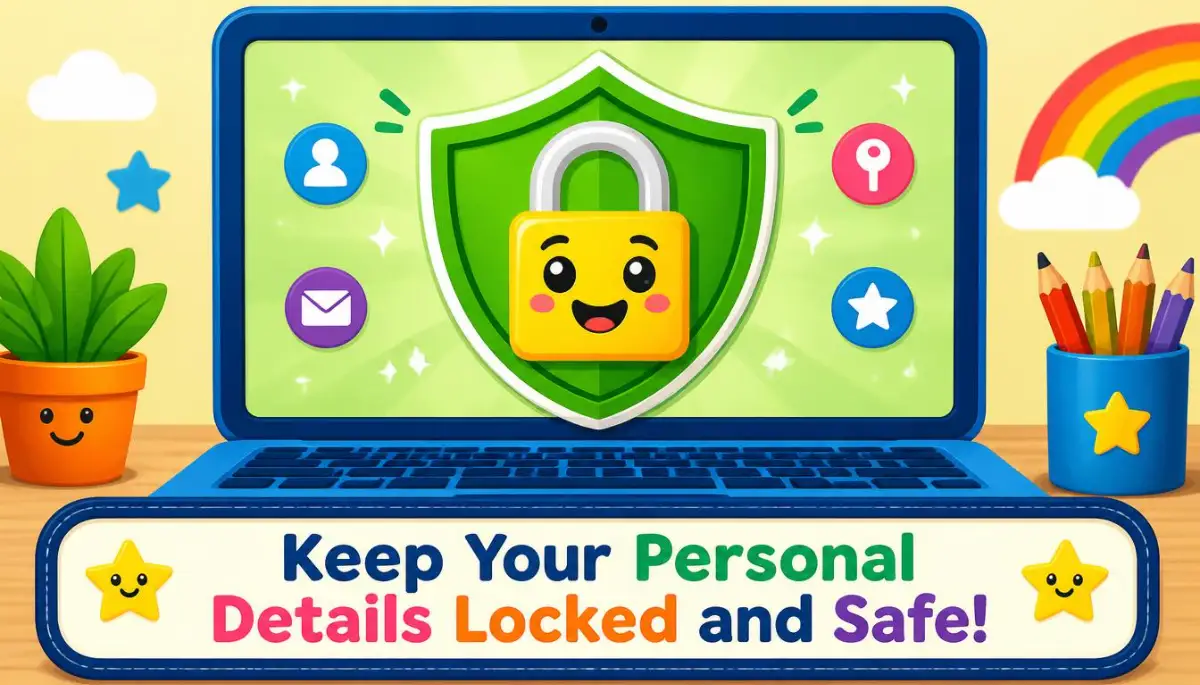
The first step in online safety is learning how to lock the front door of your digital house. Most young students use incredibly simple passwords like their pet’s name, their birthdate, or even just "123456". These simple codes are incredibly easy for automated programs and bad actors to guess.
I like to teach my students to think of a password as a secret superhero identity. It should be something strong that belongs only to them, and they must never share it with anyone else, not even their closest friends. A great trick is to help them create a "password phrase" instead of a single word.
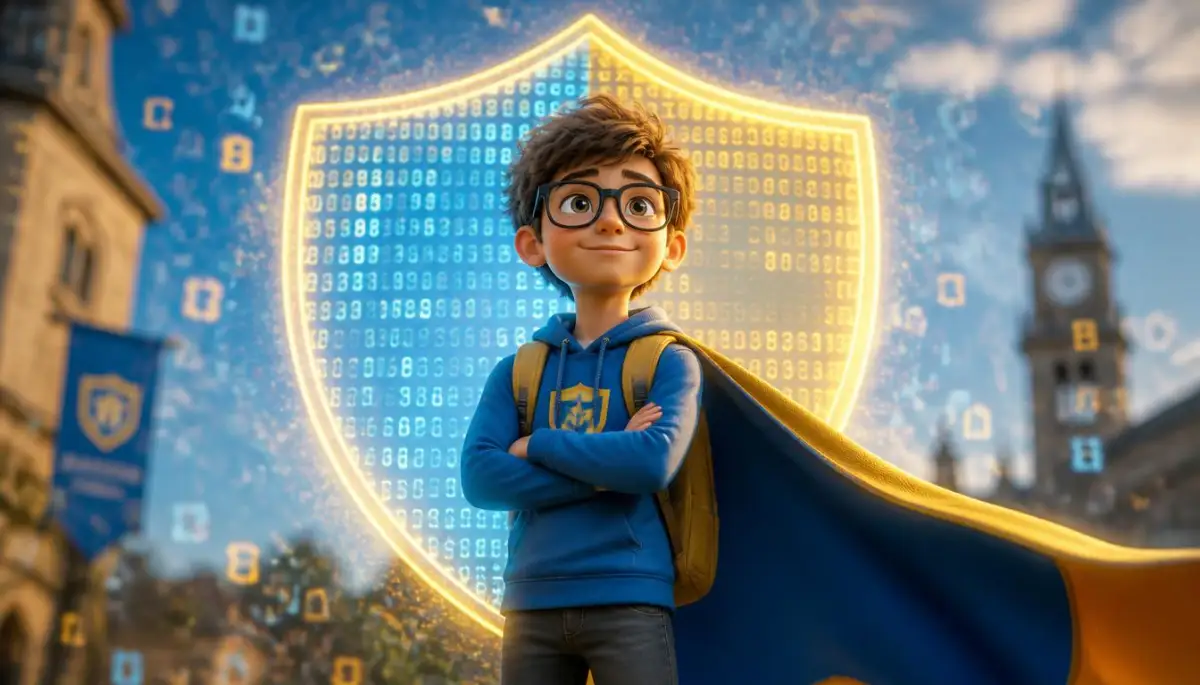
For example, we can take a simple sentence like "My favorite green frog jumps high" and turn it into a code. By taking the first letter of each word and adding a number, we get a super strong shield. This makes the password easy for the child to remember but nearly impossible for a computer to crack.
Deciphering the Digital Warning Signs
Another major lesson is teaching kids to identify what a secure website actually looks like. We can show them the small padlock icon next to the website address in the browser bar. This simple visual cue helps them understand that their connection to that site is private and protected.
We also need to teach them to avoid clicking on bright "Download Now" buttons that pop up on free gaming sites. These buttons are often disguised as part of the game but actually install unwanted software. I always tell my students that if a button flashes too much or looks too exciting, it is probably a trap.
he "Think-Before-You-Click" 3-Second Rule
Before my students click any link, I teach them to count to three and ask these three questions:
- Who sent this? (Is it the game or a random pop-up?)
- What does it want? (Is it asking for my name or a password?)
- Does it look 'Too Good'? (Free gems/coins are almost always a trap!)
By treating these suspicious links like strange packages on a playground, kids learn to pause before they click. They learn to call a teacher or a parent over to inspect the screen first. This simple habit of pausing can save a school network from serious security issues.
The Power of the "Is It Kind?" Filter
Cyberbullying and unkind digital communication can start at a surprisingly young age. When kids hide behind a screen, they often say things they would never say to someone's face. The lack of immediate physical feedback makes it easy for them to forget that a real person is on the other side.
If you want to help your students understand how their words impact others online, this short guide is incredibly helpful. It shows how to build empathy in a digital space.
We need to teach our children that typed words carry the exact same weight as spoken words.
By using simple group activities, we can teach kids to run their messages through a quick mental filter. We ask them to think: Is this helpful? Is this true? Is this kind? If the message does not pass all three tests, it simply does not get sent into the digital world.
Drawing Clear Boundaries for Personal Information
The concept of personal privacy is very abstract for a child who is used to sharing everything with friends. They do not naturally understand why telling an online game their school name or home address is dangerous. We must make this concept concrete by using real-world comparisons that they can easily grasp.
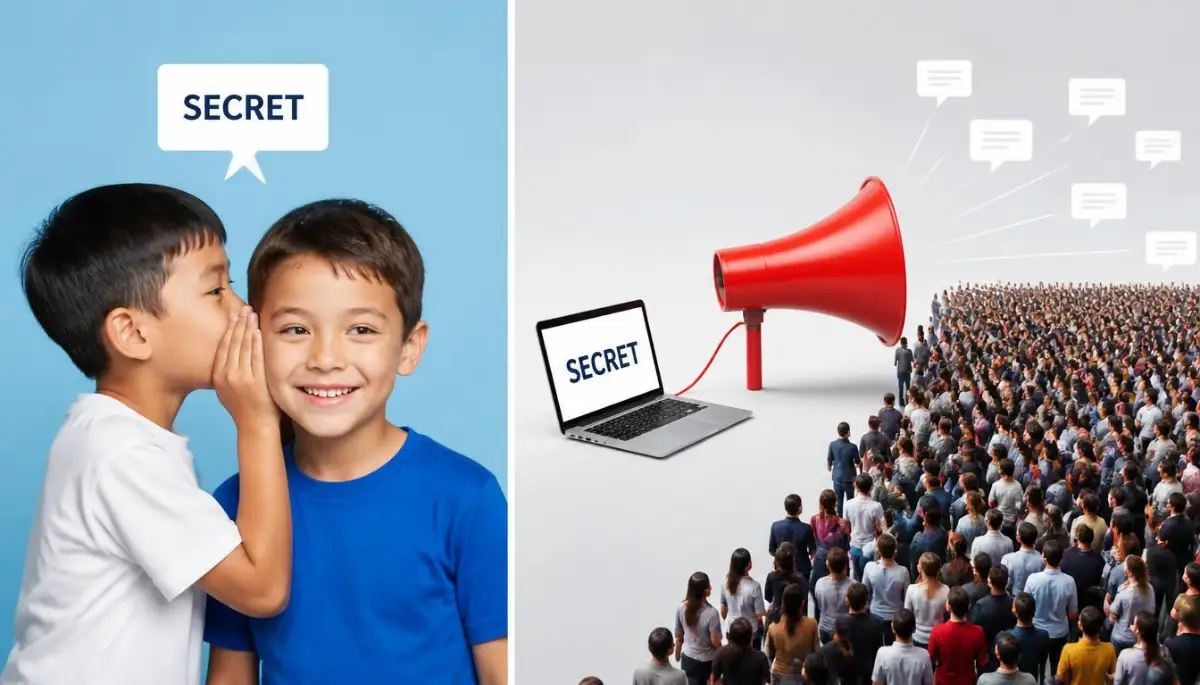
I often tell my students that sharing information online is like shouting it out of a window to a stranger. You would not scream your home address to someone walking down the street, so you must not type it into a screen. This simple analogy helps them visualize the scale of the internet and the strangers who might see their data.
My Pro Tip: Years ago, I made the mistake of letting my class sign up for a spelling site using their real full names. I quickly realized how easy it was for anyone to find their student profiles online. Since then, I always teach my kids to use clever, fake nicknames like "BluePanda" or "SuperStar" instead of their real names.
| Common Mistake | The Better Way (Teacher Hack) |
| :--- | :--- |
| Using "Supermario123" as a password. | Use a phrase like "MyCatLovesPizza99!"
| Clicking "Allow" on every notification. | Teaching kids to click "Block" by default. |
| Telling an app your real birthday. | Picking a "Digital Birthday" (e.g., January 1st). |
This small change keeps their real identity completely hidden from external databases and web searches. It also turns privacy into a fun, creative game where they get to design their own digital characters.
Creating a Healthy Screen Balance
While digital literacy is key, we must also teach children when it is time to close the laptop. Spending too many hours in front of a screen can lead to physical fatigue, eye strain, and a drop in real-world social skills. A healthy digital life is all about balance, not complete immersion.
We can establish clear, physical boundaries in the classroom, such as "no-screen zones" or designated screen-free times. For example, screens should never be present during lunchtime or when we are doing hands-on physical science experiments. This helps kids understand that technology is a tool to be used at specific times, not a permanent escape.
Going Beyond the Basics: Expert Tactics for Long-Term Digital Security
We cannot expect students to remember dry rules after just one classroom presentation. To build strong habits, we must turn security checks into a recurring classroom activity that students look forward to. I like to dedicate the last Friday of every month to a quick tech inspection we call the "Digital Clean-Up Game."
During this activity, kids open their devices and carefully check their accounts under my close supervision. We look for saved search histories, clearing any old files that might contain personal clues. This aligns closely with national guidelines like the Children's Online Privacy Protection Act regulations which work to safeguard young users.
It also helps them understand that our devices are constantly collecting data behind the scenes. By regularly cleaning up their browser history, they actively reduce their digital footprint. If you want to see how tracking happens on home devices too, you can learn about adjusting device tracking settings to protect your family's home network.
Debunking the Myth of Incognito Mode
Many older children believe that using private browsing modes makes them completely invisible online. They think this feature magically shields their actions from the school network, teachers, and search engines. In reality, private browsing simply stops the local browser from saving search histories on that specific machine.
We must teach our students that their actions are still fully visible to school administrators and internet providers. This knowledge helps kids realize that private tabs do not grant permission to bypass class rules. It encourages them to make responsible choices regardless of the browser window they choose to use.
Explaining this concept is a great opportunity to talk about the physical path that data takes. We can use the simple analogy of a classroom whiteboard. Writing in private mode is like writing with a pen on a board that the teacher can still read, even if you plan to wipe it off later.
Designing Co-Created Digital Contracts
Instead of simply handing down a list of strict demands, we should involve our students in writing the classroom rules. When children participate in establishing guidelines, they feel a deep sense of ownership and responsibility. We can start this cooperative process by sitting in a circle and discussing what makes us feel safe online.
We write their ideas on a large poster board, framing each rule in simple, positive language. For instance, instead of writing "Do not talk to strangers," we can write "We only chat with classmates approved by our teacher." This collaborative contract makes the guidelines feel like a team promise rather than an annoying restriction.
This process is also an excellent exercise in communication, helping students practice cooperative skills. If you want to improve this type of classroom dialogue, you can read about improving conversational active listening to build stronger connections with your students.
Implementing Safe Creative Tech Tools
As classrooms adopt modern tools like artificial intelligence and digital design boards, we must teach kids how to use them safely. Many creative platforms ask users to upload images, voices, or personal stories to generate new art. This is a great moment to teach kids that their creative ideas are valuable and should be protected.
We must set firm boundaries on what kinds of files can be uploaded to public online tools. Students should never upload photos of their own faces, their friends, or their school buildings to these generators. Instead, we can encourage them to use generic shapes, free stock images, or their own hand-drawn art.
Exploring these digital tools safely shows kids how humans and intelligent software can collaborate beautifully. To learn more about this balance, check out this guide on how people and smart tech work together in a highly productive way. This approach keeps student creativity thriving while keeping their identities completely safe.
Dangerous Pitfalls: The Blind Spots That Leave Kids Exposed
One of the most severe mistakes an educator can make is assuming that the school’s network firewall is a perfect safety net. Web filters are simply algorithms that look for specific keywords and block known dangerous addresses. They cannot analyze context, nor can they block new websites that pop up every single minute.
When we rely entirely on these automated systems, we lower our guard and stop actively supervising our students. This false sense of security is exactly when major accidents happen, leaving children exposed to harmful material. True safety requires both smart technology and a pair of observant human eyes in the room.
We must teach children how to respond when a filter inevitably fails and a bad page appears. If we have not prepared them for this moment, they are likely to panic or hide the screen in shame. A prepared student knows to simply turn the screen down and quietly alert an adult.
Mixing Home Play and School Accounts on the Same Device
In many schools, students are allowed to take their classroom devices home for homework and weekend reading. A frequent mistake occurs when family members or friends use these same devices to download personal games or visit social sites. This sharing can easily introduce tracking cookies, malware, or unsafe search suggestions to the school tablet.
We must teach families that a school device is a dedicated workspace, not a general entertainment system. Keeping school and play profiles separate is necessary for protecting student data and device performance. If children learn these boundaries early, they will build a strong foundation for managing academic responsibilities.
It also prevents the digital clutter that can lead to academic stress and feelings of being overwhelmed. For students who struggle to separate their personal life from heavy study demands, establishing clear boundaries can prevent serious issues. You can read more about managing student burnout and stress to help young learners balance their lives effectively.
The Cost of Punishing Honest Online Mistakes
When a child accidentally accesses an inappropriate website, our immediate emotional reaction is often anger or panic. Punishing a student for an honest mistake on the internet is a counterproductive approach that breaks trust. If a child feels they will get into trouble, they will hide future accidents, scams, or online bullying.
This silence can lead to a dangerous situation where the child dealing with online threats feels entirely alone. Over time, hiding these problems can deeply hurt their emotional health and cause their academic performance to drop. We must create a supportive environment where telling the truth about an online accident is met with guidance instead of anger.
To protect kids from feeling isolated, educators can study modern research on children's internet behavior to understand how kids navigate online mistakes. This knowledge allows us to respond with empathy and clear, actionable advice. When children know we are on their side, they will always seek our help when they feel unsafe.
Overlooking the Early Roots of Student Well-Being
We sometimes think that issues like digital fatigue or bad study habits only affect older high schoolers or university students. The reality is that the foundation for these academic struggles is often laid during primary school. If we do not teach healthy device boundaries now, these children may carry unhealthy habits into their teenage years.
Introducing balanced routines early is the best way to prepare children for the complex pressures of higher education. Teaching them how to step away from screens prepares them for a lifetime of balanced study. For a broader look at how these early habits affect future academic life, explore these healthy study habits for active students to see why early intervention matters.
Your Roadmap to a Confident and Safe Digital Classroom
Raising smart digital citizens does not mean we have to lock down every computer in our schools. It means we must give children the mental tools, habits, and confidence to make safe choices. When we combine active guidance with simple classroom rules, we create an environment where technology supports growth rather than fear.
As educators, our primary goal is to guide students as they explore this vast digital world. Every safe search, strong password, and kind message they send builds a safer internet for everyone. Let us continue to teach, listen, and support them as they learn to navigate these screens safely.
Your Immediate Action Plan for Tomorrow
Start your next school day by having an open, friendly conversation about online safety with your students. Ask them what games they love to play and what rules they think would keep them safe. This simple discussion is the most powerful tool you have to build trust and open communication.
To keep these classrooms truly safe, educators can also check the official resources for bullying prevention in schools. These guidelines offer practical ways to manage online and offline peer relationships. By using these tools, we can make our schools a safe space both inside and outside the digital screen.
Remember that we are not trying to create perfect tech experts overnight. We are simply trying to help our kids take one safe step at a time. By teaching them to pause, think, and ask before they click, we give them a lifetime of protection.
Common Questions About Classroom Internet Safety
What is the best age to start teaching digital literacy to kids?
You should start teaching digital literacy as soon as a child begins interacting with any screen. Even simple lessons about not clicking on flashing ads can start at age five. The key is to keep the concepts simple, age-appropriate, and focused on physical world analogies.
How can teachers handle cyberbullying in a primary school classroom?
Teachers can handle cyberbullying by creating a supportive classroom culture where kindness is actively rewarded. Encourage students to report unkind messages immediately and reassure them that they will not lose their device privileges for speaking up. For international guidelines on this topic, you can look at the global standards for school tech to see how schools worldwide manage student interactions.
Do simple parental controls actually work for classroom devices?
Parental controls are helpful tools, but they should never be the only line of defense. These programs can filter out known bad sites, but they often miss new links and tricky browser pop-ups. True classroom safety always relies on active adult supervision and teaching kids how to make smart choices.
How do we teach kids about the dangers of sharing personal information online?
The most effective way is to use real-world comparisons that make the concept of privacy easy to understand. Tell children that typing their school name online is like shouting it to a group of strangers on the street. This simple visual helps them realize why keeping details private is so important.
In my own teaching journey, I have seen how quickly a child's confidence grows when we treat them as active partners in their safety. My proudest moments are when a student quietly calls me over to point out a suspicious link they chose not to click. I encourage you to start this conversation with your class today and watch how beautifully they respond to your trust.
Disclaimer: The information provided in this guide is for educational and informational purposes only. While we strive to provide practical advice, technology and online environments change rapidly. School administrators, teachers, and parents should always consult their specific institutional guidelines and local privacy laws when implementing digital tools.