My Journey from Constant Back Pain to Desk Comfort
If you feel like a human pretzel by 5 PM, you aren't alone. I used to think a stabbing lower back pain was just part of the 'office life' tax. It turns out, I was just setting myself up for a disaster. Let's skip the fancy medical talk and fix your desk so you can actually enjoy your life after work without needing a heating pad.
I just thought the pain was a normal part of working hard in an office. My neck was always stiff, and my wrists felt like they were on fire by Friday afternoon. I tried buying expensive pillows and rubbing ointments on my skin, but nothing worked for long.
Then, I met a physical therapist who looked at my setup and sighed. He told me that my desk was literally attacking my spine every single day. That was the moment everything changed for me and my health.
I spent weeks researching, testing, and adjusting how I sit and move. It turns out, you don't need- a thousand-dollar chair to feel better. You just need to understand how your body is designed to move.
Now, I wake u-p without that nagging ache in my shoulders. I can focus on my work instead of co-unting the minutes until I can lay down. I want to share exactly what I learned so you don't have to suffer like I did.
The Hidden Cost of a Poor Office Setup
Most people think office work is safe because we aren't lifting heavy boxes or climbing ladders. However, sitting still in a bad position is one of the most stressful things you can do to your muscles. It’s like a slow-motion injury that builds up over months and years.
🛠️ Quick Fixes for a Pain-Free Day
- Eye Level Rule: Your eyes should hit the top 1/3 of your screen. No more looking down!
- The 90-90-90 Rule: Aim for 90-degree angles at your elbows, hips, and knees.
- The 20-20-20 Habit: Every 20 minutes, look 20 feet away for 20 seconds to save your eyes.
- Movement over Gear: A $1,000 chair won't save you if you stay like a statue for 4 hours. Move!
I see my friends and colleagues complaining about headaches and numb fingers all the time. They think it’s just stress or getting older, but usually, it’s their monitor height or their keyboard angle. This constant strain wears down your joints and drains your mental energy.
When your body is in pain, your brain cannot focus on being creative or productive. You become irritable, tired, and less motivated to do the things you love after work. It’s not just about your back; it’s about your whole quality of life.
We often ignore these small signals until they become big problems like carpal tunnel or slipped discs. Waiting for the pain to become unbearable is a mistake I made, and I regret it deeply. Taking action now is the best gift you can give to your future self.
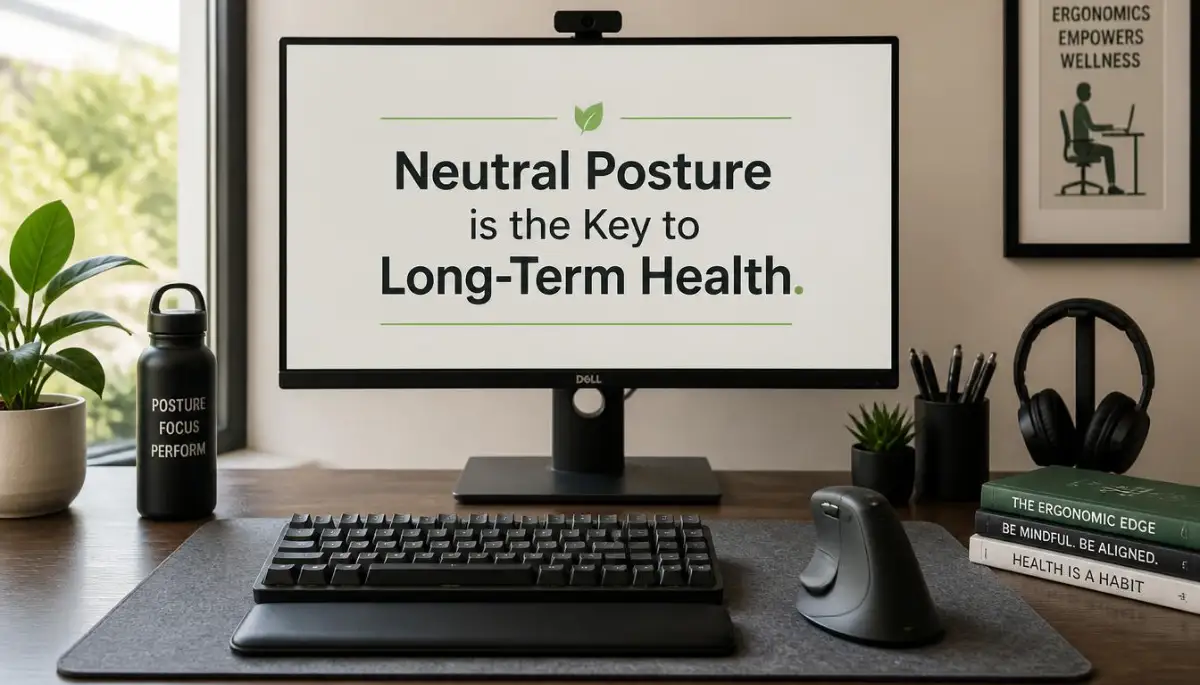
Setting Up Your Throne: The Foundation of Your Chair
The first thing I had to fix was my chair because it’s the foundation of everything. You don't need a fancy "gaming" chair with flashing lights to be healthy. You need a chair that supports the natural curve of your lower spine.
Your feet must be flat on the floor at all times. If your feet are dangling, it puts a massive amount of pressure on the back of your thighs. This can slow down your blood flow and make your legs feel heavy and tired.
I found that using a small footrest or even a stack of books made a huge difference. It allowed my hips to sit at the right angle, taking the stress off my lower back. This simple change stopped my legs from feeling numb by lunch.
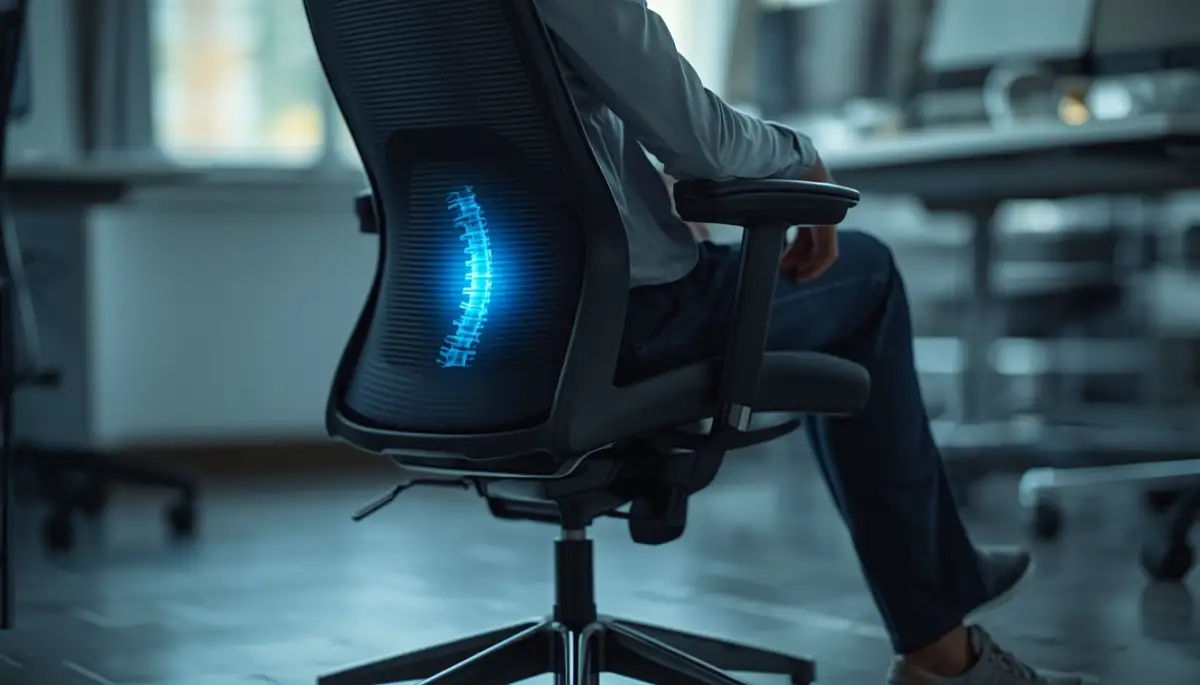
Pro Tip: I used to think leaning back was lazy, but actually, a slight recline is better for your spine than sitting perfectly upright at 90 degrees. I found that tilting my chair back to about 100 or 110 degrees helped me breathe better and relaxed my tight hip muscles.
Your knees should be at about the same height as your hips, or slightly lower. This keeps your pelvis in a neutral position so your spine doesn't have to work so hard to stay upright. Check your chair height right now and see if your feet feel truly supported.
| Body Part | The Perfect Setup (The "L" Goal) | Why It Matters |
| :--- | :--- | :--- |
| Elbows | 90-degree angle, close to ribs | Stops shoulder strain |
| Eyes | Level with the top of your screen | Prevents "Tech Neck" |
| Knees | Even with or slightly lower than hips | Keeps blood flowing |
| Feet | Flat on the floor (or a footrest) | Takes weight off your spine |
The Magic of Eye Level: Protecting Your Neck and Shoulders
One of the biggest mistakes I made for years was looking down at my laptop screen. Your head is heavy, and when you tilt it forward, it puts a lot of weight on your neck muscles. This is often called "tech neck" or "text neck."
Your eyes should naturally hit the top third of your computer screen when you are looking straight ahead. If you are using a laptop, please stop putting it directly on the desk. You are forcing your neck to bend in a way it wasn't meant to.
I bought a simple laptop stand and a separate keyboard, and the change was instant. My neck pain disappeared within three days because I wasn't hunched over like a turtle anymore. It felt like a weight had been lifted off my shoulders.
Learn more about the science of body alignment in the office by watching this helpful video.
If you use two monitors, make sure they are at the same height and close together. You shouldn't be twisting your neck back and forth all day like you're watching a tennis match. This twisting motion is a fast track to muscle knots and headaches.
Arm and Wrist Placement: Avoiding the Fire in Your Hands
Your arms should always be relaxed and close to your body. Think of your elbows forming a 90-degree angle, with your wrists sitting flat and straight. If you have to reach forward to type, you are straining your shoulders.
I used to rest my wrists on the hard edge of the desk while I typed. This was a terrible habit that caused a lot of tingling in my fingers. Now, I make sure my keyboard is close enough so my elbows stay by my ribs.
Your mouse should be right next to your keyboard so you don't have to reach out to the side. Frequent reaching can cause pain in your rotator cuff over time. Keep everything you use often within an easy "reach zone" to save your joints.
If you feel like your wrists are bending upward, you might need to lower your chair or raise your desk. Your hands should float over the keys or rest on a soft pad. Never let the bones in your wrist press hard against a flat surface for hours.
The Secret Power of the 20-20-20 Rule
Ergonomics isn't just about how you sit; it's also about how you look at things. Digital eye strain is a huge part of office injuries that people often forget about. My eyes used to feel dry and itchy every evening.
The 20-20-20 rule saved my vision and stopped my afternoon headaches. Every 20 minutes, look at something 20 feet away for at least 20 seconds. This allows the tiny muscles in your eyes to relax and reset.
I set a small timer on my phone to remind me to do this. At first, it felt annoying, but then I realized I was much more productive. My brain felt fresher, and I didn't feel like I was staring through a fog by 4 PM.
It’s also helpful to make sure there is no glare on your screen from a window. Glare makes you squint and lean forward, which ruins your posture. Adjust your desk or use a curtain to keep the light even and soft.
Why Standing Desks Aren't a Magic Cure
Many people told me to buy a standing desk to fix all my problems. While standing can be great, standing all day is just as bad as sitting all day. The real secret to ergonomics is movement, not just a different position.
Myth vs. Fact: The Standing Desk Truth
- Myth: Standing all day is the healthiest way to work.
- Fact: Standing for 8 hours causes varicose veins and sore feet.
- My Advice: I suggest the "30-30 Switch." Sit for 30 minutes, stand for 30 minutes. If you can’t stand, just walk to the kitchen for a glass of water. It’s the movement that counts, not just the pose.
I tried standing for four hours straight and ended up with sore feet and a different kind of back pain. The key is to switch between sitting and standing every 30 to 60 minutes. This keeps your blood moving and prevents any one muscle group from getting too tired.
If you don't have a standing desk, don't worry. You can get the same benefits by just standing up during phone calls or walking to get water. The goal is to break the "statue" pose that we often fall into at work.
I make it a rule to never eat my lunch at my desk. Taking that 30-minute break to move my body makes the afternoon much easier to handle. Your body was made to move, so give it what it needs!
Understanding the "L" Shape Rule for Total Body Support
When you sit, think about creating "L" shapes with your body. Your torso and thighs should form an L, and your upper arms and forearms should form an L. Even your knees should be bent in an L shape.
This alignment ensures that your weight is distributed evenly across your joints. When we slouch, we put all the weight on our lower spine. When we lean too far forward, we put the weight on our neck and wrists.
I found that checking my "Ls" every time I sat down helped me build a new habit. It only takes a second to adjust, but it saves hours of pain later. It’s like a quick health check for your desk life.
Make sure your chair has good lumbar support that fits into the small of your back. If it doesn't, you can roll up a small towel and place it there. I did this for months before I bought a better chair, and it worked surprisingly well.
Managing Your Mental Space to Reduce Physical Tension
Believe it or not, your stress levels change how you sit. When I’m stressed about a deadline, my shoulders move up toward my ears. This tension causes my muscles to tighten, making ergonomic problems even worse.
I started doing "body scans" once an hour. I check: Are my shoulders relaxed? Is my jaw clenched? Am I holding my breath? These small mental checks help me release physical tension before it turns into a knot.
A cluttered desk can also lead to a cluttered and tense body. If I have to reach over piles of paper to use my mouse, I’m hurting my shoulder. Keeping a clean workspace allows you to move freely and comfortably.
I also learned that drinking more water forced me to get up and move more often. It’s a natural timer for your body. Not only does it keep you hydrated, but it ensures you aren't sitting still for three hours straight.
The Myth of "Perfect" Posture
There is no such thing as a single perfect posture that you must hold all day. The best posture is your next posture. This means you should always be looking for small ways to shift and move.
I used to try and sit like a statue because I thought that was "proper." All it did was make me stiff and tired. Now, I wiggle my toes, stretch my arms, and shift my weight slightly throughout the hour.
Small movements keep your joints lubricated and your muscles active. Think of your body like a car engine; it runs better when it’s moving than when it’s idling in one spot. Don't be afraid to stretch at your desk.
I often do simple wrist circles and neck tilts while I’m reading emails. It looks a bit funny, but I don't care because I feel great. My coworkers eventually started joining me when they saw how much energy I had!
The Long-Term Benefits of Early Ergonomic Action
If you start fixing your setup today, you are preventing problems that could cost thousands in medical bills later. Things like surgery or chronic physical therapy are often the result of ignoring ergonomics for ten years.
I wish someone had told me this when I first started my office career. I could have saved myself so much frustration and physical pain. But the good news is that the body is amazing at healing once you stop the daily strain.
Even if you have been sitting badly for years, starting today will make a difference. You will notice that you sleep better and have fewer headaches. Your body wants to be healthy; you just have to give it the right environment.
Ergonomics is an investment in your most important tool: your body. Without it, you can't work, play, or enjoy life to the fullest. Treat your desk setup like the vital part of your career that it truly is.
I hope my story and these tips help you find the comfort I finally found. It takes a bit of effort to change your habits, but the reward is a life without constant pain. You deserve to feel good while you work!
Beyond the Basics: Pro Hacks for a Pain-Free Workspace
Now that we have covered the basics of your chair and monitor, I want to talk about the things most people miss. You might have a great chair, but if your desk is messy or your lighting is bad, you will still feel tired. I learned the hard way that ergonomics is about the whole environment, not just one piece of furniture.
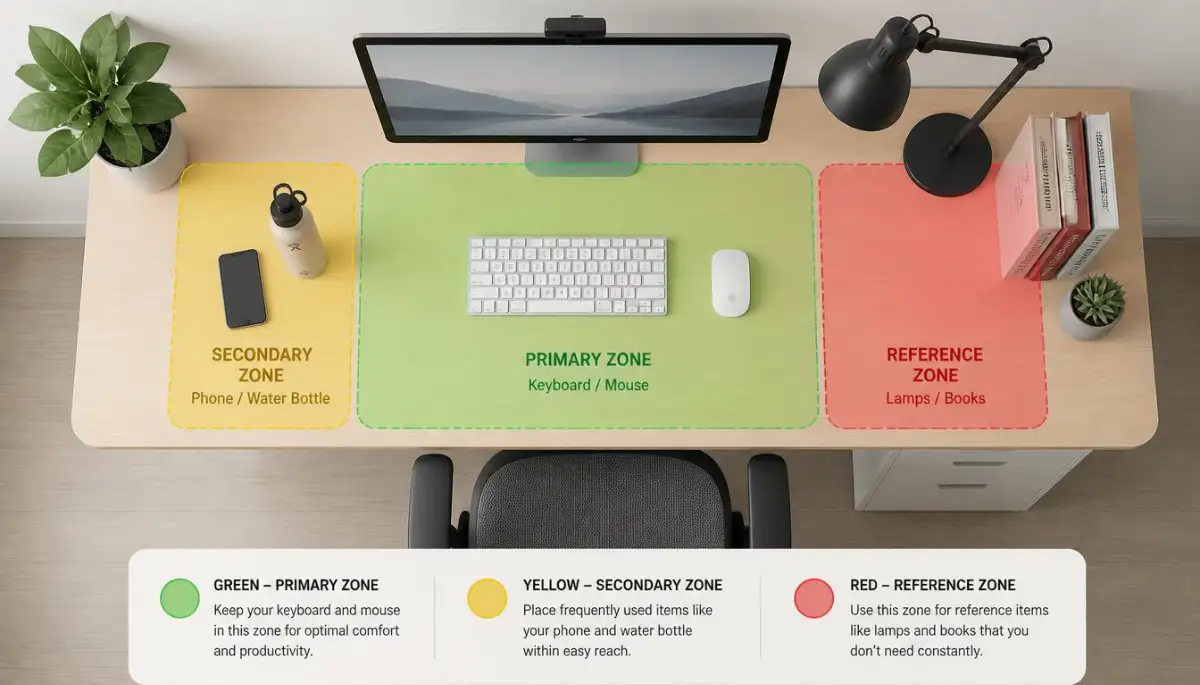
One of the best things I ever did was reorganize my "reach zones." Think of your desk like a cockpit in a plane. The things you use every minute, like your mouse and keyboard, should be right in front of you. Things you use once an hour, like a notebook or a water bottle, should be at an arm's length.
I used to keep my phone far away on the left side of my desk. Every time it rang, I had to twist my spine and reach out to grab it. Doing this thirty times a day started to cause a dull ache in my side. Moving my phone to my dominant side changed everything for my comfort.
Another secret I found is the use of a monitor arm instead of a fixed stand. These arms let you move your screen in every direction. Sometimes I like to sit a bit lower, and other times I sit higher. Being able to move the screen to match my eyes prevents me from slouching.
If you are working from home, please avoid the "couch trap." I know it feels comfy to sit on the sofa with your laptop, but your back will hate you for it. Couches offer zero support for your lower spine, and you end up in a C-shape for hours. If you must work from the couch, use a lap desk and put a firm pillow behind your back.
I also realized that understanding how sitting for six hours affects your veins is a huge motivator. When you know that staying still actually hurts your blood flow, you start to value movement more. I now make it a point to stand up every time I am on a phone call.
Speaking of phone calls, I highly recommend using a headset or even simple earbuds. Holding a phone between your ear and your shoulder is one of the fastest ways to ruin your neck. Using active listening hacks for professionals while using a headset allows you to stay relaxed. You can focus on the person you are talking to without tensing your muscles.
Don't forget about the lighting in your room. If the room is too dark, your eyes will strain to see the screen, and you will naturally lean forward. This "leaning" ruins all the hard work you did setting up your chair. Try to have soft light coming from the side rather than directly behind or in front of you.
I also found that my footwear mattered more than I thought. Even if you are working at home, wearing supportive shoes can help your posture. If you stand at your desk in flat flip-flops or bare feet, your arches can collapse, leading to leg pain. I bought a pair of supportive indoor shoes, and my knees felt much better by the end of the week.
If you are a student, physical pain can make studying feel impossible. I’ve seen many friends deal with overcoming college burnout because they were physically exhausted from bad study setups. A small investment in a laptop riser can make a world of difference for your focus and energy levels.
Managing your health is a full-time job, but it doesn't have to be expensive. If you are before it's too late spotting the subtle signs of prediabetes, you already know that small lifestyle changes are the most powerful. Fixing your desk setup is just another one of those small changes that keeps your body running well for years.
I know that buying high-end gear can feel like a lot of money at once. However, if you use smart budgeting methods, you can save up for a quality chair or desk. Think of it as an insurance policy for your spine. You are spending a little now to avoid spending a lot on doctors later.

The Hidden Blunders That Are Quietly Hurting You
It breaks my heart when I see people trying to be healthy but making small mistakes that ruin their progress. One of the most common blunders is using the little "feet" on the back of your keyboard. Most people think they are there to help you see the keys better.
Actually, tilting your keyboard up like that puts a lot of stress on your wrists. It forces your hands to bend backward in an unnatural way. This is a primary cause of wrist pain and long-term strain. I suggest keeping your keyboard flat or even tilted slightly away from you for the best results.
Another mistake is "the laptop hunch" at coffee shops. I used to think I looked very productive working at a small cafe table. In reality, those tables are almost always too low. My neck was bent at a 45-degree angle, which puts about 50 pounds of pressure on your spine.
If you like working in public spaces, always bring a portable stand. It might look a bit strange to some people, but your body will thank you. I stopped caring what people thought when I realized I didn't have a headache at the end of the day.
Many people also forget to check the space under their desk. I once had a small trash can and a pile of cords right where my feet were supposed to go. This forced me to sit with my legs crossed or tucked under my chair. Sitting like this for hours creates a massive imbalance in your hips and lower back.
Clear out everything under your desk so your legs have room to stretch and move. This simple step is often ignored, but it is one of the most important for long-term health. Your body needs space to breathe and shift throughout the workday.
I also see people "powering through" small pains. If your wrist starts to tingle or your neck feels stiff, that is your body's alarm system. Ignoring these signs is like ignoring a smoke detector in your house. I used to wait until the pain was a 10 out of 10 before I did anything, and that was a huge mistake.
Healthcare researchers at the Occupational Safety and Health Administration suggest that maintaining a neutral posture is the only way to avoid these cumulative injuries. When you feel a small ache, stop and check your alignment. Usually, it’s a quick fix like moving your monitor or adjusting your chair height.
Lastly, don't rely on "posture correctors" or braces you see in ads. These gadgets often do the work for your muscles, which actually makes your muscles weaker over time. The goal is to train your body to sit correctly on its own. Using your own strength and a good setup is much better than using a strap or a brace.
Your Roadmap to a Healthier Workspace and a Better Life
Getting your office setup right is not a one-time event. It is a habit that you build over time, just like eating healthy or exercising. I want you to feel empowered to make these changes starting right now. You don't need a perfect desk today; you just need a better desk than you had yesterday.
Start with your chair height and then move to your screen position. If you do just those two things, you are already ahead of 90% of office workers. You will feel more energetic, and your mood will likely improve because you aren't in constant discomfort.
I really believe that you can turn your workspace into a place of health instead of a place of pain. It took me a few months to get everything perfect, but I promise it is worth every second of effort. My life changed when I stopped fighting my desk and started working with it.
I feel so much more alive and productive now that I’m not constantly distracted by a sore back. My only regret is that I didn't start sooner. Please don't wait for a major injury to take these steps; start today and enjoy the comfort you deserve!
Common Questions About Office Ergonomics
Is it better to sit or stand while working?
Neither is better if you do it all day long. The best approach is to switch between sitting and standing every 30 to 45 minutes. Movement is the key to keeping your muscles from getting stiff and your blood flowing properly.
How high should my desk be?
Your desk should be at a height where your elbows are at a 90-degree angle while you type. Your shoulders should feel relaxed, not pushed up toward your ears. If your desk is too high and cannot be adjusted, raise your chair and use a footrest.
Can ergonomics really stop my headaches?
Yes, absolutely! Many office headaches come from "referred pain" in the neck and shoulders. When you hunch forward to see a monitor that is too low, it pulls on the muscles at the base of your skull, causing tension headaches.
Do I need to buy an expensive ergonomic chair?
Not necessarily. While a good chair helps, you can improve almost any chair with a lumbar roll or a cushion. The most important thing is how you use the chair and making sure your feet are supported on the ground.
How often should I take breaks?
I suggest following the 50-10 rule. Work for 50 minutes and then take a 10-minute break to walk around and stretch. This gives your mind and your body a chance to reset, which actually makes you more productive in the long run.
Disclaimer: This article is for informational purposes only and does not constitute professional medical advice. Always consult with a qualified healthcare provider or an ergonomic specialist before making significant changes to your physical routine or if you are experiencing chronic pain. We are not responsible for any injuries that may occur from following these suggestions.