The Night I Realized I Shared My Company’s Best Kept Secret
I remember sitting at my desk late one Tuesday night, trying to draft a complex financial forecast. To save time, I copy-pasted our entire quarterly revenue projections directly into a popular public AI chatbot. It felt like magic when the tool polished my messy draft in just a few seconds.
But my heart stopped a week later during a team meeting. A colleague showed me how easy it was to get similar proprietary data back from the same public tool. That was the exact moment I realized I had made a massive mistake with my company's private files. I had unknowingly handed over confidential projections to an open system that learns from everything we type.
The panic that followed was truly overwhelming, and I did not sleep for days. Many of us do this every day without thinking about the heavy cost of our quick shortcuts. We paste emails, customer lists, or code snippets into these helpful little chat boxes. We just want to get our work done faster and go home to our families.
But this innocent habit is quietly causing huge problems for employees everywhere. People are losing their jobs, businesses are facing legal threats, and trade secrets are slipping away. The constant worry of making a single copy-paste error that could ruin your career is exhausting. It takes away your peace of mind and makes every work day feel like walking on thin ice.
Many workers feel stuck between wanting to be productive and wanting to stay safe. They do not mean to cause harm, but they lack the clear guidance needed to navigate this new technology. This struggle is real, and it is happening in offices all around the world right now.
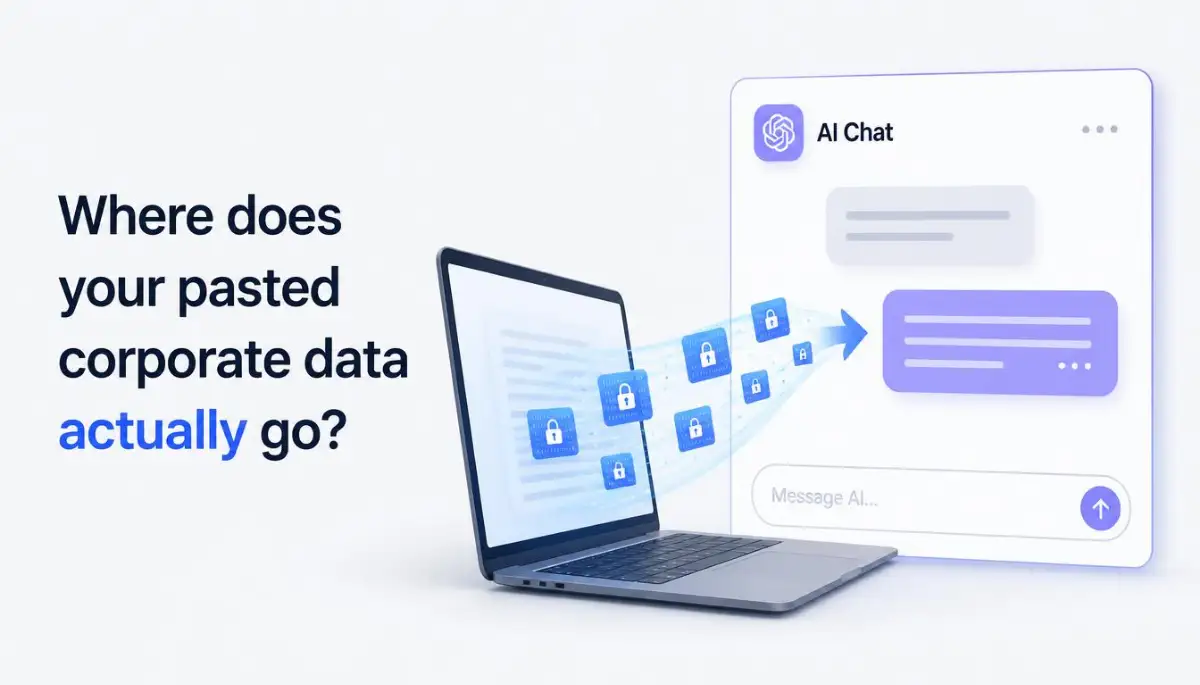
How Public AI Chatbots Actually Handle Your Shared Information
To understand the core issue, we must look at what happens behind the screen. When you paste text into a free online chatbot, that information does not just disappear. It is stored on external servers and used to train future updates of the software.
This means your private business plans could easily become part of a public answer for someone else. Once you press send, you lose all control over where that data goes. This creates a massive hole in your company's digital security wall.
The Data Retention Loophole You Probably Missed
Most free AI tools clearly state in their terms of service that they save your inputs. They use this data to teach their models how to think and write better. If you share a secret code or a customer list, it gets mixed into their giant brain.
Later, a competitor asking the right questions might see pieces of your work in their results. This is not a rare glitch; it is exactly how these systems are built to run. You are essentially giving away your hard-earned business ideas for free.
Why Free AI Accounts Are a Major Risk
Free accounts do not offer the same level of safety as paid enterprise plans. They are built for casual users who do not mind sharing their basic thoughts.
For businesses, however, using these free tiers is highly dangerous. There are no strict agreements to keep your data private or to delete it after your session. You are trading your company's security for a quick, free paragraph of text.
A Step-by-Step Security Guide for Modern Teams
Solving this issue does not mean you have to ban artificial intelligence completely. It means you must learn how to use these tools without putting your job at risk. Here is how you can build a safe workspace while still enjoying the speed of automation.
Step 1: Set Up Clear and Simple AI Usage Rules
The first step is to write down simple rules that every employee can understand. Avoid using overly technical language that people might ignore or misunderstand. Clearly list what types of information can and cannot be shared with public tools.
If you want to see exactly how data flows through these systems and why IT departments are worried, check out this great breakdown.
Make sure these rules are easy to find and review regularly. When everyone knows where the line is drawn, accidental leaks drop dramatically. Education is always your best defense against security mistakes.
Step 2: Use Safe and Private AI Alternatives
Instead of letting employees use free public sites, invest in enterprise-grade options. Many developers now offer business plans that promise to keep your data completely private. These paid versions do not use your inputs to train their public models.
Having a secure platform gives your team the freedom to work fast without worry. It is a smart investment that saves you from costly security breaches down the road.
Step 3: Anonymize Your Inputs Before You Press Send
If you must use a free tool, never paste raw or sensitive documents directly. Always clean your text by removing any identifying marks, names, or secret figures first. Swap out specific details for generic terms to keep your work private.
Pro Tip: I once made the mistake of leaving real customer names in my prompts, which taught me a hard lesson. Now, I always replace real names with placeholders like 'Client X' or 'Project Alpha' before typing anything online. This simple habit keeps our private details safe while still giving me the helpful answers I need.
This extra step only takes a minute but makes your inputs useless to anyone else. It allows you to get the help you need without sharing your private business secrets.
Myth vs. Reality: The Truth About AI Privacy
Many people believe common myths about how online assistants handle their data. Let us look at the facts to clear up any confusion.
- Myth: If I delete my chat history, the AI forgets my data.
- Reality: Deleting your chat history only hides it from your sidebar. The company still keeps the data on their servers for training purposes [2].
- Myth: AI tools only look at the style of my writing, not the actual facts.
- Reality: These models look at every single word to learn facts, logic, and context [1]. Your data becomes part of their knowledge base.
- Myth: Our company is too small for hackers or competitors to care about.
- Reality: Automated bots search public data pools constantly, meaning even small businesses are targets [1].
Understanding these facts helps you make smarter choices when working online. Do not let false safety beliefs put your career at risk.
The Long-Term Cost of Ignoring Data Security
Ignoring these risks can lead to serious trouble for both you and your business. It is not just about losing a competitive edge in your market. It can also lead to heavy fines from government agencies that protect consumer data.
Legal Troubles and Fines
Many industries have strict rules about how customer information must be handled [1]. If you paste client files into a public system, you may be breaking these laws [1].
This can lead to lawsuits and massive fines that can ruin a business. It is always better to be safe than to face a judge over a simple copy-paste mistake.
Loss of Customer Trust
Trust is incredibly hard to build but very easy to lose. If your clients find out their private data was shared with an online tool, they will leave.
They expect you to keep their files secure at all times. Protecting your inputs is a key part of keeping that trust strong.
A Simple Checklist for Secure Everyday AI Use
To make things easier, use this quick checklist before you use any online helper. It will help you spot risks before they turn into real problems.
- Did I remove all real customer names and addresses?
- Are there any secret financial figures in this text?
- Is this code unique to our company's private software?
- Am I logged into a secure, approved enterprise account?
- Could a competitor use this information to hurt our business?
If you checked "yes" to any of these questions, stop and edit your text. Taking five seconds to double-check your work is the best way to stay safe.
Building a Safe Workplace for Everyone
At the end of the day, artificial intelligence is a wonderful tool when used correctly. The goal is not to fear technology, but to respect the power it holds.
By setting clear rules, using private platforms, and cleaning your inputs, you can work safely. You do not have to choose between speed and safety.
With a few simple changes to your daily routine, you can enjoy the best of both worlds. Protect your data, protect your job, and keep your business moving forward safely.
Beyond Basic Rules: Pro-Level Methods to Shield Your Business Assets
To protect your business in this quick-moving era, you must think like a seasoned security analyst. It is not enough to simply tell your workers to be careful when they type online. You need to implement advanced, active steps that build a solid shield around your private company documents.
One of the most effective secrets is knowing how to shut off the data collection pipe at the source. Many major platforms offer hidden opt-out forms that are not clearly visible in the standard user dashboard. According to a detailed Stanford HAI study on frontier AI privacy, several leading developers automatically grab consumer conversation logs for training unless you manually submit a request to stop them. Taking the time to locate and submit these privacy forms is a key step toward keeping your company's data locked away from public view.
Another smart move is moving your work away from open browser screens altogether. Instead of pasting data into public web pages, you can set up secure local environments that communicate through private application interfaces. These private channels come with strict service agreements that legally prevent outside companies from keeping your text. This approach ensures your daily workflows remain fast and secure without risking your intellectual property.
Crafting a Strong Data Filter
Before anyone on your team uses an online helper, you should set up an automated gatekeeper. You can install simple data loss prevention software on company computers to scan outgoing text for secret terms. These tools can automatically block social security numbers, financial balances, and private system keys from being sent to external servers. This acts as a digital safety net for your business. It protects your workers from making honest mistakes when they are tired or rushing to finish a task. Having this system in place gives business owners peace of mind during busy projects.
Smart Network Hosting for Business Tasks
The location and setup of your cloud systems also play a major role in keeping your information safe. Connecting your internal operations to external web assistants can create hidden entry points for online thieves. Understanding why hosting server location can make or break your website speed and safety helps you choose the right digital partners.
You should always verify that the tools you use store their logs in regions with strong data laws. If your information is saved on a server in a country with weak privacy protections, you have very little recourse if a leak occurs. Keep your business operations local and secure whenever possible to avoid these unnecessary foreign risks.
Safe Daily Collaboration Tactics
When teams work together on shared projects, they often pass notes and templates back and forth. If you are not careful, these shared items can easily contain traces of your private customer details. It is always helpful to learn how creatives and AI work better together without compromising security protocols.
By teaching your team to treat every digital system with a healthy dose of caution, you build a safer workspace. You can run weekly security audits to ensure no confidential files are sitting in public folders. This simple habit keeps your team sharp and protects your clients from sudden data exposure.

Blind Spots That Can Cost You Your Business
Even the most careful business owners can fall into dangerous traps when adopting new online tools. These mistakes often start as simple shortcuts but can quickly turn into major security events. Understanding these blind spots is the only way to make sure your company remains completely safe.
The Illusion of the Private Browser Tab
Many workers wrongly believe that using an "incognito" or private browser window protects their typed inputs. This is a highly dangerous myth that can lead to massive data leaks. A private browser tab only prevents your local computer from saving your history.
The external servers on the other end still receive and log every single word you type into the chat box. Relying on this feature for security is like closing your eyes and believing no one can see you. It offers absolutely zero protection against data scraping or model training systems.
Relying Solely on Third-Party Privacy Promises
It is easy to trust a polished website with bright colors and a long list of safety badges. However, relying blindly on a software provider's standard terms can be a costly error. Many of these agreements contain hidden clauses that allow them to change their terms whenever they want.
You must remember that public tools are built to make money first, and your privacy is often a secondary concern. If you do not have a signed, custom business contract, those online promises mean very little. Always read the fine print before allowing your staff to use any new platform.
Ignoring the Hazards of Smart Devices
Many people forget that public assistants are now built into our phones, tablets, and even our home entertainment systems. These gadgets are constantly listening and gathering data to improve their systems. If you want to keep your home office safe, you should learn to block smart TV tracking with simple settings to stop unwanted data collection.
This same rule applies to your workspace. If you leave your digital assistants turned on during secret business meetings, you might be leaking audio data. Always mute or turn off these listening tools when discussing private customer plans or financial details.
Mixing Personal Profiles with Work Systems
Using the same login accounts for your personal tasks and your professional work is another massive mistake. When you mix these two worlds, your personal search habits can easily bleed into your business records. This makes it incredibly difficult for your IT team to track what data is leaving your company.
It also means that a security breach on your personal device could give hackers access to your work files. Always keep your professional logins completely separate from your personal life. This simple boundary keeps your business clean and protects your personal privacy at the same time.
Your Practical Blueprint for a Safer Workspace
Taking control of your digital security does not have to be difficult or expensive. You can start making positive changes today by establishing a clear system for your team. Here is a simple, easy-to-follow plan to get your business on the right track.
Step 1: Run a Fast Software Audit
Take an hour this week to look at every digital helper your team is currently using. Ask everyone to write down the names of the online assistants they use to write emails, draft code, or analyze reports. You might be surprised to find out how many unapproved systems are quietly running in your office.
Once you have this list, you can decide which platforms are safe to keep and which ones must be blocked. This quick audit is the easiest way to find and close hidden security gaps. It also helps you save money by cutting out duplicate tools you do not need.
Step 2: Establish a Simple Data Classification List
Make a simple chart that shows your team exactly what information is safe to share online and what must stay local. Use easy colors like red, yellow, and green to keep things clear for everyone.
- Red Level (Never Share): Customer names, bank details, secret system code, and internal financial reports.
- Yellow Level (Ask First): General templates, basic email drafts, and standard industry research.
- Green Level (Safe to Share): Public blog posts, generic math formulas, and standard language translations.
Keep this chart posted in a shared digital folder where everyone can see it. When the rules are this simple, your team will have no trouble following them every day.
Step 3: Train Your Staff on Active Listening and Clear Talk
Security is not just about software; it is also about how your team talks and works together. Learning how to use active listening hacks to connect better with your colleagues can prevent many communication errors. When team members talk openly, they are much more likely to ask for help before using an unsafe online tool.
Building a friendly environment where workers feel safe admitting to a mistake is key. If someone accidentally pastes a private file online, they must feel comfortable telling you immediately. Quick action can help you delete the data before it is used to train public systems.
Step 4: Budget for Secure Solutions Properly
Investing in secure, business-grade platforms is a necessary cost of doing business today. If you are worried about the expense, you can use smart budgeting methods for self-employed pros to manage your cash flow. This keeps your business safe without putting too much strain on your monthly budget.
You can also look into smart tax deductions for home-based solopreneurs to help offset the cost of secure software. Taking advantage of these savings makes it much easier to build a secure business environment. Your clients will appreciate knowing that you invest in their safety.
Key Questions and Answers on Workplace AI Safety
Can my business get sued if an employee pastes customer data into a public chatbot?
Yes, your business can face serious legal action for sharing customer data without permission. Most regions have strict consumer safety rules that require you to keep personal details completely private [9]. If a leak happens because of a public tool, you could face heavy fines and lose your business license.
How do I know if an AI platform is safe for my team to use?
You should look for platforms that offer enterprise-level security agreements. These systems should clearly state that they do not use your inputs to train their public models [2]. Always check if the company is compliant with international safety groups like the Open Worldwide Application Security Project, especially their latest LLM security risk standards.
Is there a way to delete data that was already pasted into a public tool?
It is very difficult to remove data once it has been sent to a public system. You can try to delete your chat history, but the platform's servers may still keep the information for training. Your best option is to contact the tool's support team directly and request a complete account deletion.
What is the safest way to summarize a long business report using AI?
The safest way is to use a secure, local tool that runs entirely on your own office computers. If you must use an online tool, make sure to remove all real names, specific dates, and exact financial figures first. Replace those sensitive terms with generic placeholders so the data has no value to anyone else.
Taking Command of Your Business Security
Protecting your business from the silent threats of modern technology is a journey that starts with simple, daily habits. You do not need to be a computer genius to build a secure and highly productive workspace. By simply making smart choices, teaching your team, and choosing secure software, you can shield your brand from expensive data leaks.
My own journey from making a stressful copy-paste mistake to building a highly secure workflow taught me that safety is always worth the extra step. I hope my experience encourages you to take a close look at your daily tools and make the changes needed to stay safe today. Let us make our workspaces both smart and secure so we can build a strong, successful future without fear.
Disclaimer: The security suggestions, tools, and methods shared in this article are for educational and informational purposes only. Every business has unique security needs, and we recommend consulting with a certified IT security professional before making major changes to your company systems.