When Your Smart Home Knows More Than You Realize
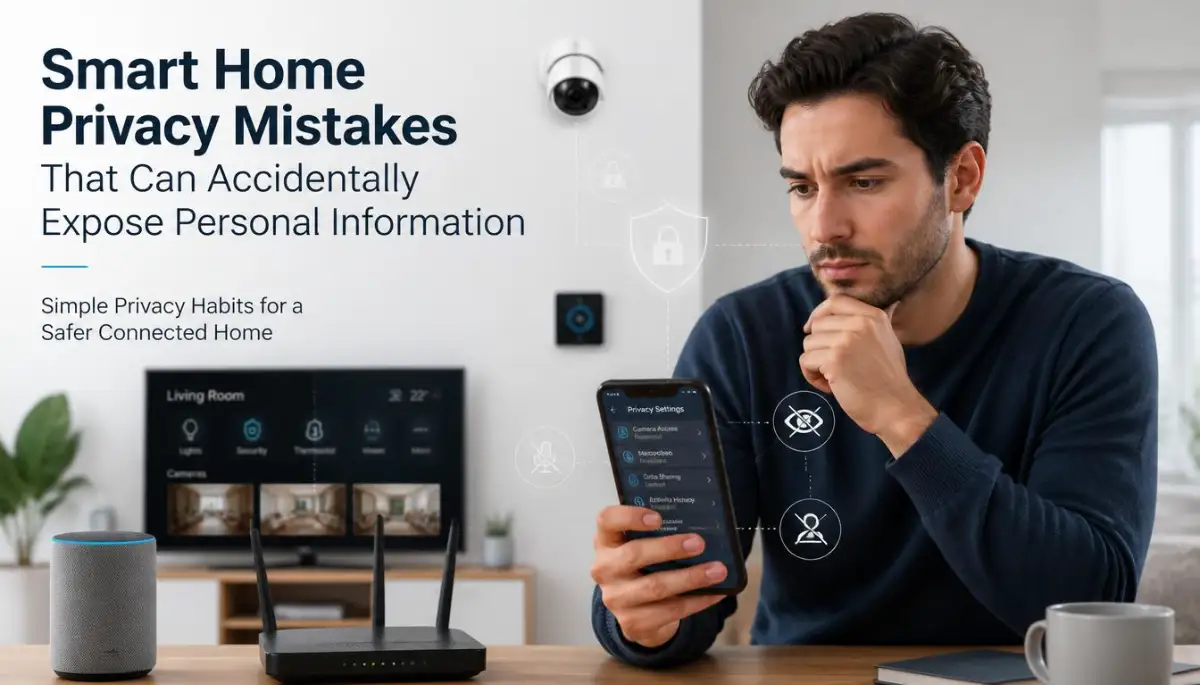
I noticed something odd one evening when I was checking the settings on my smart speaker. I had used it for months without thinking much about what information it could access, but I suddenly wondered how many permissions I had allowed. My phone, camera, television, speaker, and router were all connected, yet I had never reviewed most of their privacy settings. That moment made me look at my home in a completely different way.
I used to think that having a password was enough to keep my devices private. My experience taught me that privacy is also about what a device is allowed to collect, store, and share.
That same situation can happen to you without any obvious warning. A smart speaker may respond to voice commands, a camera may record activity, and a connected television may collect viewing information, while the person using them may never check the related settings.
The problem is not that smart technology is automatically unsafe. The bigger issue is that many connected devices are configured for convenience first, and users may leave those settings unchanged for years.
Imagine coming home after a long day and asking your smart speaker to turn on the lights. You probably are not thinking about microphones, stored recordings, account permissions, cloud services, or connected applications.
You simply want the lights on.
That is why smart home privacy deserves attention. When several devices communicate through the same home network, one overlooked setting can create a wider privacy concern than you expected.
Why This Problem Feels So Personal
Your home is one of the places where you naturally expect privacy. You talk with family members, discuss plans, watch television, work from your laptop, answer calls, and sometimes use devices in very personal situations.
When connected technology becomes part of that space, information can move between devices and online services without being obvious to the person using them.
A security camera, for example, can collect video footage because that is its basic function. A smart speaker may process voice commands so it can respond to you. A smart television can receive information about how its features are being used.
None of these functions automatically means something harmful is happening. The concern begins when people do not understand what information is being collected, how long it may remain available, or which accounts and applications can access it.
There is also an emotional side to this problem.
You may start wondering whether your camera is active when you are at home. You may feel uncomfortable after discovering that an old device still has access to your account. You may even hesitate to use a feature that was supposed to make life easier.
That uncertainty can be stressful.
The good news is that you do not need to become a cybersecurity expert to improve your smart home privacy. A few careful checks can give you a much clearer picture of what your devices are doing.
The Hidden Connections Inside a Connected Home
A smart home looks simple from the outside.
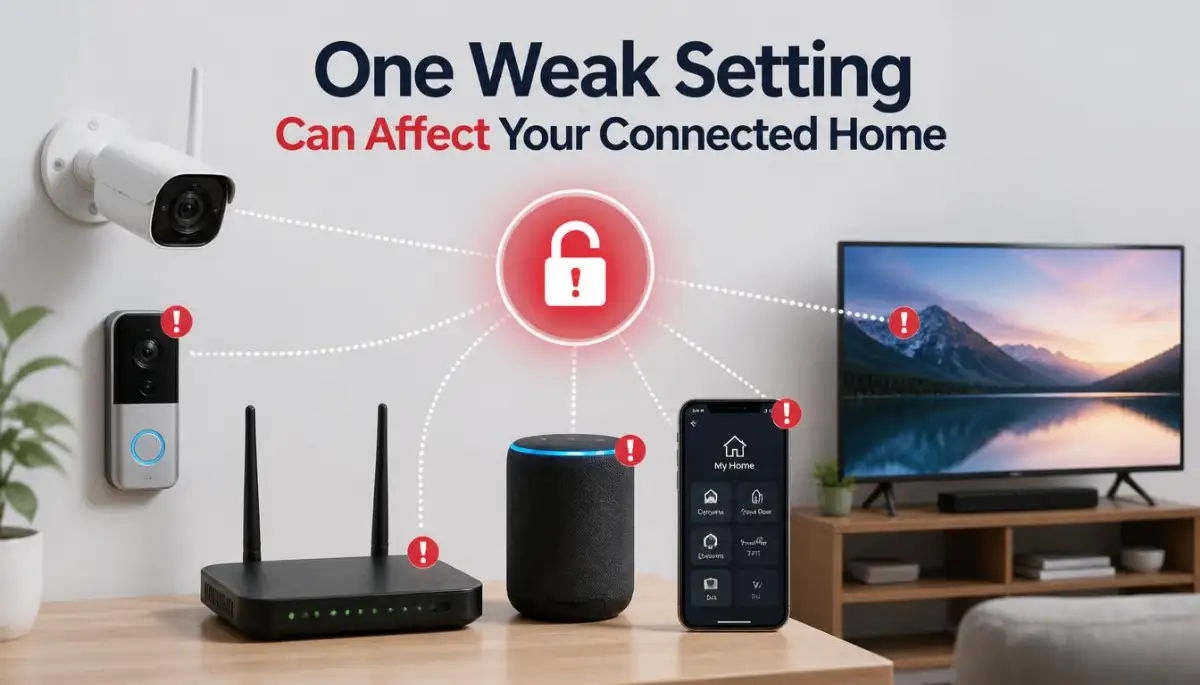
You speak to a smart speaker, open an app, check a camera, or change a light. Behind those simple actions, however, several systems may communicate with one another.
Your device may connect to your home router, your router connects to the internet, and an application may communicate with a remote service before a command is completed.
Understanding that basic chain makes privacy problems much easier to spot.
Your Router Is the Home’s Digital Meeting Point
Your Wi-Fi router is often the central connection point for smart devices.
Phones, televisions, speakers, cameras, laptops, appliances, and other connected products may use the same network. This means the router deserves attention just like the individual devices.
A strong Wi-Fi password is a good starting point, but it is not the entire privacy plan.
Check whether your router is still using an administrator password that came with the device. Also look for available security updates and review the list of connected devices from time to time.
You may discover an old phone, unused device, guest device, or product that you no longer recognize.
If you cannot identify a connected device, investigate it before assuming it belongs there.
The Permission Problem Most People Ignore
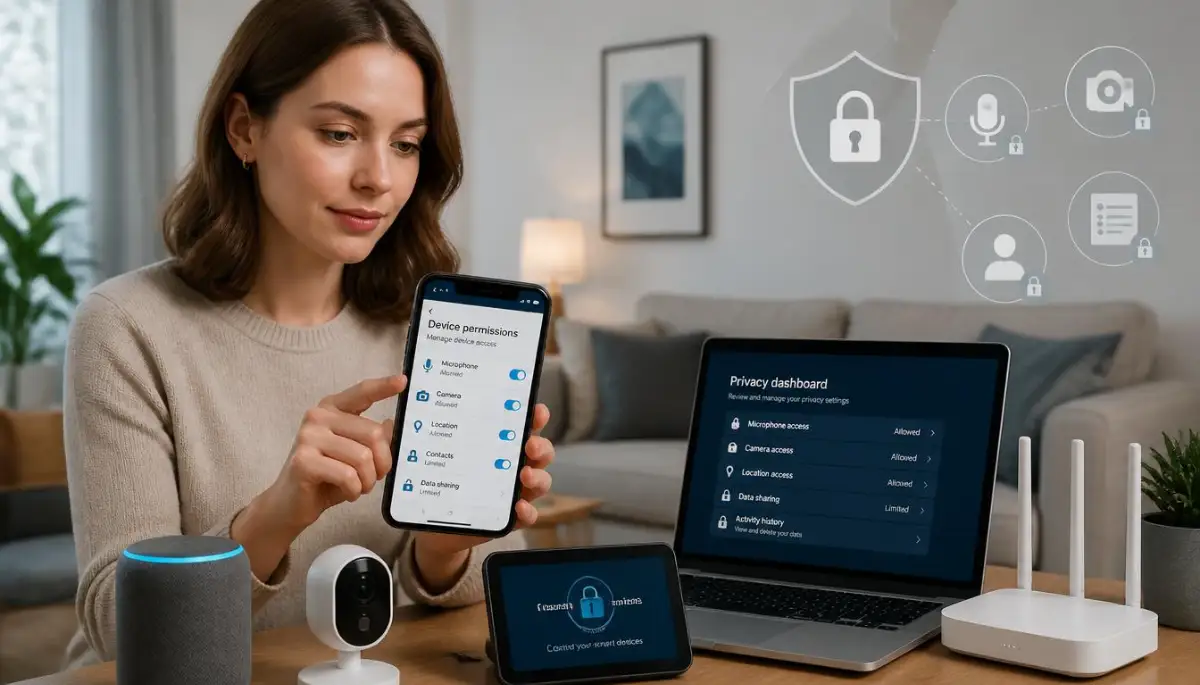
Apps often ask for access to microphones, cameras, contacts, location data, storage, or notifications.
Sometimes a permission is needed for a feature to work. Other times, you may have granted access simply because you wanted to finish the setup quickly.
That small decision can remain unchanged for a long time.
Open the applications connected to your smart home and review their permissions. Ask yourself a simple question: “Does this app really need this access for the feature I use?”
If the answer is no, consider removing the permission.
This does not mean you should turn off every permission. Instead, match permissions with actual needs.
For example, a smart home application that controls lighting may need local network access, while access to your contacts may not make sense for the way you use it.
Voice Data Deserves a Closer Look
Smart speakers and voice-controlled displays depend on microphones.
They need to detect commands, but the exact way voice interactions are processed can vary by device and service. Some systems may process commands locally, while others may send information to remote servers for processing.
That is why you should read the privacy controls provided by the manufacturer.
Look for options related to voice history, saved recordings, deletion controls, personalization, and activity history. If the service allows you to review or delete stored activity, learn where those controls are.
Knowing how to remove stored activity gives you more control over your information.
A Simple Question to Ask Yourself
If you opened your smart speaker's privacy dashboard right now, would you know what you were looking at?
If not, spend a few minutes learning the available controls.
You do not need to change everything immediately. Understanding the settings first can help you make better decisions.
Cameras Create a Different Kind of Privacy Concern
Smart cameras can be extremely useful for checking your home, watching a doorway, or monitoring a specific area.
But cameras also collect visual information, so their placement deserves careful thought.
Avoid pointing indoor cameras toward areas where people reasonably expect privacy. Think about guests, children, family members, and anyone else who may enter the camera's viewing area.
The account controlling the camera also matters.
Use a strong, unique password for the account and enable multi-factor authentication when the service supports it. This adds another verification layer beyond the password.
A camera can be physically inside your home while its account and data controls exist online.
That difference is easy to forget.
Your Smart TV May Have Privacy Settings Too
Many people remember to protect their phones and computers but forget their televisions.
Modern smart TVs can provide internet-connected applications, voice features, recommendations, advertising controls, viewing-related settings, and other online functions.
You do not have to disable every smart feature.
Instead, open the privacy section and learn what information-related options are available. Look for settings related to personalization, voice control, viewing information, advertising preferences, and application permissions.
If a feature does not matter to you, consider whether you need to keep it enabled.
Old Devices Can Become Forgotten Privacy Gaps
One of the easiest mistakes is forgetting about devices you no longer use.
Perhaps you replaced an old smart speaker but never removed it from your account. Maybe you gave a connected camera to another person but left your account attached to it.
The physical device may be sitting in a drawer, but the account connection can still matter.
Before selling, giving away, recycling, or permanently retiring a smart device, remove your account, delete personal information, and follow the manufacturer's reset instructions.
Also review your online account afterward.
If the device still appears in your account, remove it when appropriate.
Automatic Updates Are More Than New Features
Software updates can include improvements, bug fixes, and security fixes.
That is why ignoring update notifications for long periods can create unnecessary risk.
If your device provides automatic updates, consider keeping that option enabled unless you have a specific reason to manage updates manually.
For devices that do not update automatically, create a simple habit of checking for updates occasionally.
Think of it like maintaining a car.
You do not wait until something breaks before checking every part of it. Small maintenance actions can help prevent larger problems.
My Pro Tip: Do a “Privacy Walk” Around Your Home
I learned that checking devices one at a time can make the process feel much bigger than it really is. My easier approach is to walk through each room with my phone and make a mental list of every connected device I see.
Then I check only one thing at a time: Who controls this device, what account is connected to it, and what information can it access?
That simple routine makes privacy checks feel manageable instead of overwhelming.
Before you continue, take a few minutes to watch the short video below if you want a visual explanation of how connected devices communicate and why privacy settings matter.
Make Your Smart Home Easier to Trust
Privacy protection becomes much easier when you stop thinking about it as one giant technical problem.
Instead, think of your home as a collection of small digital relationships.
Your camera has an account. Your speaker has permissions. Your television has applications. Your router manages connections. Your phone controls several of these devices.
Each relationship deserves a quick review.
Create Separate Accounts Where It Makes Sense
Using one password everywhere can create a serious weakness.
If the same password is exposed through one unrelated service, someone may try it on another account.
Use unique passwords for important smart home accounts, especially accounts controlling cameras, locks, alarms, or other sensitive devices.
A password manager can help you create and remember unique passwords without requiring you to memorize every one.
You should also avoid sharing the main administrator password casually.
If another person needs access to a device, use a separate account or guest-access feature when the service provides one.
Turn On Multi-Factor Authentication
A password is one layer of protection.
Multi-factor authentication adds another check, such as a code from an authentication application, security key, or another supported method.
The exact options vary by service.
If your smart home account supports multi-factor authentication, check whether it can be enabled. This is especially useful for accounts that control cameras or other sensitive connected devices.
Remember that the goal is not to make your home complicated.
The goal is to make unauthorized access harder.
Be Careful With Shared Access
Smart home platforms often allow you to invite family members or other people.
That can be useful, but shared access should be reviewed occasionally.
Ask yourself who currently has access and whether everyone still needs it.
If someone moved away, stopped helping with the household, or no longer needs access, remove their permission where appropriate.
This is an easy task to forget because everything continues working normally.
Separate Guest Activity From Private Devices
Some routers support separate guest networks.
When available, this can help keep visitors' devices apart from your main home network.
For example, a guest may connect a phone, laptop, or tablet to the guest network without needing access to the same network used by your personal computers and smart home equipment.
The exact behavior depends on the router and its configuration.
If your router provides a guest network, read its settings carefully and learn what devices can communicate with one another.
Do Not Ignore Physical Privacy
Digital privacy is not only about passwords.
A smart camera can have strong account security and still be placed somewhere inappropriate.
Think about what the camera can see and whether that view is necessary.
Similarly, a smart speaker does not need to be placed in every room simply because it can be.
Good privacy often starts with reducing unnecessary data collection.
If a device does not need to observe, listen, or collect something, ask whether that function can be reduced or disabled.
Understand the Difference Between Convenience and Need
Connected technology often offers convenient features.
A television may offer personalized recommendations. A speaker may remember preferences. A camera may store recordings. An application may provide detailed activity history.
These features can be useful.
But convenience and necessity are not the same thing.
Before enabling a new feature, ask what information it needs and whether you actually want the feature.
This small pause can prevent you from giving away more information than necessary.
A Quick Privacy Check You Can Repeat Regularly
You do not need a complicated security routine.
A short review can cover the areas that matter most.
Your Device List
Look around your home and identify every connected device.
If you find something you forgot about, check whether it is still linked to an account or network.
Your Accounts
Review the accounts that control your smart devices.
Check passwords, active sessions, shared users, and multi-factor authentication options where available.
Your Permissions
Look through smartphone and smart home applications.
Pay special attention to microphone, camera, location, contacts, and local network permissions.
Your Network
Review your Wi-Fi password and router settings.
Check connected devices and install available router updates when appropriate.
Your Data
Look for activity history, voice recordings, camera storage, viewing information, or other stored information.
If the service provides deletion controls, understand how they work.
Your Physical Setup
Finally, look at where cameras, microphones, and displays are located.
Ask whether each device is positioned in a way that matches your privacy expectations.
Small Privacy Choices Can Make a Big Difference
Smart home technology does not have to be frightening.
The goal is not to disconnect everything or stop using convenient technology.
The better approach is to understand what each device does and decide how much access you are comfortable giving it.
Start with the devices that can collect the most sensitive information, such as cameras, microphones, and accounts that control multiple devices.
Then move toward smaller settings such as application permissions, shared access, and personalization options.
If you find something you do not understand, check the device's official documentation rather than guessing.
And if a setting involves account security, data storage, or privacy controls, take a moment to understand what changing it will actually do.
Your smart home should make daily life easier without making you feel like you have lost control of your own information.
The most useful privacy habit is simple: know what is connected, know what it can access, and regularly review whether you still want those connections.
Building a Smart Home Privacy Routine That Lasts
A safer connected home is not created by changing every setting in one afternoon. It comes from building a few simple habits that you can repeat whenever a device, app, account, or network connection changes.
NIST research on smart home users has found that people often understand that privacy and security matter, yet may still struggle to take protective action because device controls can be confusing or difficult to manage.
That is an important lesson for everyday users.
You do not need to understand every technical detail behind a smart device. You need a clear way to notice unnecessary access, remove old connections, and keep the devices you still use under control.
Treat Your Smart Home Like a Small Digital Household
Think about your home as more than rooms, furniture, and appliances.
It also contains accounts, passwords, apps, microphones, cameras, sensors, cloud connections, and wireless networks.
When you look at it this way, privacy checks become much easier.
Instead of asking, “Is my smart home secure?”
Ask smaller questions.
Which devices can collect information? Who can access them? Where is that information going? How long does it remain available?
Those questions can reveal problems that a simple password check may miss.
Make “Data Minimization” a Normal Habit
One of the strongest privacy habits is also one of the simplest: do not share information that a device does not reasonably need.
Imagine installing a smart home application that asks for microphone, camera, location, contacts, and photo access.
You may tap “Allow” simply because you want to finish setup.
Stop for a moment.
Ask what each permission is doing for the feature you actually use.
The UK Information Commissioner's Office advises consumers to examine what personal information smart products collect and to review permissions during setup rather than automatically accepting every request.
This does not mean every permission request is suspicious.
A device may genuinely need access to something for a specific function.
The smart choice is to understand the connection before granting it.
Keep a Privacy Map of Your Home
You do not need special software to do this.
Open a note on your phone and create a simple list of your connected devices.
You might have:
- Smart speaker
- Indoor camera
- Video doorbell
- Smart television
- Smart thermostat
- Smart lights
- Robot vacuum
- Smart display
- Wi-Fi router
Next to each device, write the account that controls it.
This creates something surprisingly useful: a clear picture of your digital home.
When you replace a device, sell one, or stop using a service, you can return to this list and remove the old connection.
Pay Special Attention to Devices That Can See or Hear
Not every smart device presents the same privacy concern.
A connected light bulb and an indoor camera do not collect the same type of information.
A camera may capture images of people and activities.
A voice assistant may process spoken commands.
A smart thermostat may reveal patterns about when people are home.
A connected television may process information related to its features and use.
Recent NIST research examining different smart home device categories found that users' privacy and security perceptions can vary significantly depending on the type of device.
That means your privacy routine should not treat every device exactly the same way.
Devices with microphones, cameras, location access, or detailed activity records deserve extra attention.
Give Your Router More Respect
Many people think of the router as a box that simply provides Wi-Fi.
It is much more important than that.
Your router can act as the connection point between many devices in your home and the wider internet.
The FTC recommends changing default router credentials, using appropriate wireless encryption, and keeping router software updated.
Take a few minutes to learn how to access your router's administration page.
You should know how to identify connected devices and where basic security settings are located.
You do not need to change advanced networking options that you do not understand.
Avoid changing settings simply because a tutorial tells you to. Understand the purpose first.
Consider a Separate Network for Connected Devices
Some modern routers allow users to create a guest network or another separated network for specific devices.
This can provide an additional layer of separation between smart devices and computers containing more sensitive personal files.
CISA materials on IoT security also discuss the value of considering network separation for connected devices.
For a household with many connected products, this can be a useful idea.
However, router features vary.
Read your router's documentation before changing network arrangements, especially if you rely on devices that need to communicate with one another.
Keep Your Accounts Cleaner Than Your Device Shelf
Your physical home may look organized while your online accounts are full of forgotten connections.
That is a common problem.
Open the accounts used by your smart home devices and look for sections such as:
Devices, Connected Apps, Authorized Access, Family Members, Shared Users, Active Sessions, or Account Activity.
The exact names will vary.
If you find an old device you no longer use, remove it when appropriate.
If you find an unfamiliar account or session, investigate it instead of ignoring it.
Use Strong Login Protection Where It Matters Most
Your smart home account can sometimes control several devices at once.
That makes the account itself worth protecting carefully.
Use a unique password and enable multi-factor authentication when available.
The FTC specifically recommends strong account protection and multi-factor authentication for voice assistant accounts when the service supports it.
This is especially useful for accounts connected to cameras, doorbells, alarms, or other sensitive systems.
Think of the account as a master key.
You would not leave a physical master key under the front door mat.
Treat your digital master key with the same care.
Do Not Forget the People Around You
Smart home privacy is not only about your own information.
A camera can record visitors.
A smart speaker can process conversations involving family members.
A connected device may collect information about people who never personally agreed to use it.
That is why physical placement and shared household expectations matter.
If you have indoor cameras, think carefully about where they point.
If guests are visiting, consider whether recording is appropriate in that space.
If several people share the home, talk about which devices are active and what they do.
Privacy works better when everyone who lives in the home understands the basic setup.
The “Five-Minute Reset” Habit
Here is a practical routine you can repeat whenever you buy, install, replace, or give away a smart device.
Pause before setup.
Read the privacy choices.
Check permissions.
Create or confirm the account.
Turn on available security protections.
Then review the device again after you have used it for a few days.
That last check matters because some settings become easier to understand once you have seen how the device actually behaves.
You may discover that a feature you thought you needed is something you never use.
Turn it off if appropriate.
The Mistakes That Can Quietly Undo Good Privacy Habits
Smart home privacy problems often do not begin with dramatic events.
They can begin with a rushed setup screen.
They can begin with an unchanged password.
They can begin with an old phone that still has account access.
They can begin with a camera that was installed years ago and never reviewed again.
That is why small mistakes deserve attention.
The “I’ll Change It Later” Trap
You install a new device.
The setup asks you to create an account.
You choose something quickly because you are tired.
Then you tell yourself you will improve the settings later.
Weeks pass.
The device works perfectly, so you forget.
This is one of the easiest habits to fall into.
The safest time to review a privacy setting is usually when you are already looking at it.
If a setup screen gives you a choice about data sharing, permissions, or account protection, slow down for a minute.
Reusing the Same Password Across Devices
A familiar password is easy to remember.
That is exactly why people reuse it.
But smart home accounts should not all depend on one password.
If one account becomes exposed, reused credentials can create problems elsewhere.
A password manager can make unique passwords much easier to manage.
You do not need to remember every password yourself.
Leaving Former Users Connected
Think about a roommate who moved out.
Or a family member who no longer uses the home system.
Or a technician who was given temporary access.
If their account still has permission, your smart home may have more users than you realize.
Review shared access periodically.
Remove people who no longer need it.
Do not assume that changing the main password automatically removes every connected user.
Different services handle account access differently.
Ignoring Software Support
A device can continue working even after it stops receiving security updates.
That creates an awkward situation.
The product may appear perfectly normal while its software becomes harder to maintain safely.
NIST's consumer IoT guidance identifies ongoing security capabilities as an important part of consumer connected-device security.
When you own a smart device, learn whether it still receives software and security support.
If a product is no longer supported, review the manufacturer's guidance and consider whether keeping it connected is still appropriate.
Assuming “It Is Inside My House, So It Is Private”
This sounds logical.
It is also misleading.
A connected camera may send information through online services.
A smart speaker may communicate with remote servers.
A television may connect to internet-based services.
The physical location of the device does not tell you where its data is processed.
The ICO has highlighted that smart products can collect information about daily routines and other aspects of people's lives, which is why transparency and user control matter.
Your living room may be private physically while some device functions operate through online systems.
That is the connection worth understanding.
Installing Unofficial or Untrusted Apps
A smart device may have a companion application.
Some people search for unofficial versions because they appear easier to install or promise extra features.
That can create unnecessary risk.
Use trusted app sources and verify that the application actually belongs to the service you intend to use.
Your smart home account may contain sensitive information, so the application controlling it deserves the same care as the device itself.
Turning On Every Feature Just Because It Exists
Smart devices often come with many features.
Some may be useful.
Others may never matter to you.
There is no prize for activating everything.
If a feature collects additional information and provides little value for your daily routine, consider leaving it disabled.
This is especially sensible for features involving microphones, cameras, location history, personalized activity, or unnecessary sharing.
Forgetting About the Smartphone
Your phone may be the remote control for your entire smart home.
That makes its security part of the same privacy picture.
If someone gains access to your phone or the applications stored on it, they may gain access to connected home functions.
Use a strong screen lock.
Keep the operating system updated.
Review app permissions.
Remove applications you no longer use.
Your smart home is only as protected as the accounts and devices that control it.
A Smarter Way to Think About Privacy
Privacy does not require fear.
It requires awareness.
A useful way to think about smart home privacy is to imagine a series of doors.
Your Wi-Fi password is one door.
Your device account is another.
Your app permissions are another.
Your physical camera placement is another.
Your stored recordings are another.
You do not need every door to look complicated.
You simply want to know which doors exist and who has the keys.
When Convenience Conflicts With Privacy
Sometimes you will have to choose.
Maybe a feature gives you more convenience but requires additional data access.
Maybe a device works perfectly without location access, but one optional feature uses it.
Maybe voice history is convenient, but you prefer not to keep older recordings.
There is no single answer that fits every household.
The right choice depends on what you value, what the feature actually does, and how much information you are comfortable sharing.
A Useful Privacy Decision Rule
Before enabling an optional feature, ask:
What does this feature give me?
Then ask:
What information does it require?
Finally:
Would I still want the feature if I knew exactly what information was involved?
That short mental exercise can prevent many rushed decisions.
A Simple Long-Term Maintenance Plan
You do not need to inspect every device every day.
That would quickly become exhausting.
Instead, connect privacy checks to things you already do.
When you replace your Wi-Fi password, review connected devices.
When you replace your phone, review smart home applications.
When you remove a device, remove its account connection.
When you install a major update, check whether privacy settings changed.
When someone stops needing shared access, remove their permission.
These small actions are easier to maintain because they are linked to normal household events.
What Good Maintenance Looks Like
A healthy smart home privacy routine should feel boring.
That is actually a good sign.
You know what devices are connected.
You know which accounts control them.
You know where the important privacy settings are.
You know how to remove an old device.
You know how to change access when household circumstances change.
You do not panic every time a device asks for permission.
You simply stop and ask why.
For readers who also use connected televisions, it can be useful to review related settings in our guide to smart TV tracking and privacy controls.
If you use AI tools at work or for personal tasks, our guide on preventing public AI chatbot privacy risks can also help you think about information sharing beyond the smart home.
And if you are interested in how people and AI systems can work together without handing over unnecessary personal information, you can explore our discussion of how creatives and AI can work better together.
These related topics are useful because privacy is rarely limited to one device.
When a Privacy Problem Needs More Than a Setting Change
Most everyday smart home privacy improvements are simple.
But some situations deserve professional help.
If you believe an account has been compromised, do not keep experimenting with random settings.
Secure the affected account first and use the service's official recovery or security process.
If a device behaves strangely, repeatedly reconnects after removal, or shows activity you cannot explain, document what you see.
Screenshots, dates, device names, and account notifications can help when contacting official support.
Do not attempt risky technical experiments on a device that controls physical security equipment.
A smart lock, alarm, camera, or similar device can have real-world consequences if its settings are changed incorrectly.
Questions Readers Commonly Ask About Smart Home Privacy
Can smart home devices collect personal information?
Yes, depending on the device and service, connected products may collect information such as voice interactions, video, location, device activity, or account information.
The exact data collected varies, so checking the device's privacy settings and documentation is the safest way to understand what applies to your product.
Should I turn off every smart home privacy setting?
Turning everything off can break useful features, and some permissions may be needed for normal operation.
Instead, review each setting and keep the access that matches features you actually use.
Is a smart speaker always recording me?
Not necessarily in the way people often imagine.
Voice assistants may listen for a wake word and can sometimes activate by mistake, while voice interactions may be sent to a manufacturer's servers depending on the service.
Check the manufacturer's privacy controls to understand recording, storage, deletion, and listening options.
Does changing my Wi-Fi password protect my whole smart home?
It can help, but it is not the only protection you need.
You should also review device accounts, application permissions, shared users, software updates, and connected-device access.
What should I do with an old smart device?
Remove personal accounts and stored information, then follow the manufacturer's instructions for resetting the device before giving it away, selling it, recycling it, or permanently disconnecting it.
Also check your online account afterward to make sure the old device is no longer listed when appropriate.
Your Personal Smart Home Privacy Checklist
Before you finish, take a moment to ask yourself:
Do I know every smart device connected to my home network?
Do I know which accounts control my cameras, speakers, televisions, and other connected devices?
Have I reviewed microphone, camera, location, and contact permissions?
Have I removed people who no longer need shared access?
Are important accounts protected with unique passwords and multi-factor authentication where available?
Are my router and smart devices receiving available security updates?
Have I checked old devices that I no longer use?
If you answered “no” to some of these questions, do not feel bad.
You now know exactly where to start.
Take Back Control One Setting at a Time
Smart home technology can make everyday life easier without requiring you to give up control of your personal information.
The key is to stop treating privacy as a one-time setup task.
Review your devices, question unnecessary permissions, protect the accounts behind them, and remove connections you no longer need.
You also do not need to make every change tonight.
Pick one device.
Check its account.
Review its permissions.
Look at its privacy options.
Then move to the next one when you have time.
That approach is far more realistic than trying to understand an entire connected home in one sitting.
The goal is not a perfectly locked-down home where every feature is disabled.
The goal is a home where you understand the connections you have chosen and feel comfortable with the information those connections can access.
A Final Thought From My Own Experience
I used to think privacy meant having a strong password and forgetting about it. My biggest realization was that small settings matter too, and I feel much more confident when I take a few minutes to review them instead of waiting for a problem.
If you have never checked your smart home privacy settings, start with one device today. My advice is simple: understand what is connected, remove what you no longer need, and keep control of the information that matters to you.
Important Note for Readers
This article is provided for general educational and informational purposes.
Smart home features, privacy controls, account options, and security practices can vary by manufacturer, device, software version, and location.
For device-specific instructions or suspected account compromise, use the manufacturer's official documentation and support channels.
This article does not provide individualized cybersecurity, legal, or professional security advice.