The Hidden Frustration of the Modern Smart Home
Stop wasting money on gadgets that don't talk back. I spent $250 on a smart thermostat thinking my power bill would vanish, but the next month was a total disaster. The truth is, your home is leaking money through gaps your 'smart' tech can't see. I finally figured out why my high-tech sensors were failing, and I’m going to show you how to stop your smart home from being a dumb investment.
But the next month, I opened my utility bill and felt a sharp pain in my chest. The number was almost exactly the same as it was before. I felt cheated and confused because I had followed all the marketing hype. I realized then that I had fallen for a lot of common ideas that simply weren't true in the real world. My struggle taught me that a device is only as good as the person using it.
Many homeowners today are going through this same quiet stress. They buy expensive gadgets hoping for a quick fix for their rising living costs. When the savings don't show up, it leads to a feeling of total defeat. It makes you feel like "green living" is just a scam for people with extra money.
I want to help you move past that feeling of being stuck. There is a huge gap between what the box says and how your home actually works. We need to talk about why these tools sometimes fail us and how we can take back control. It isn't just about the tech; it is about knowing the secrets of your own living space.
I decided to stop guessing and started looking at the actual data of my home. I stopped believing the simple fairy tales and started learning the hard facts. If you feel like your smart home is failing you, you are not alone. Let's look at what is really going on behind that digital screen.
Why Simply Installing a Device Isn't Enough for Savings
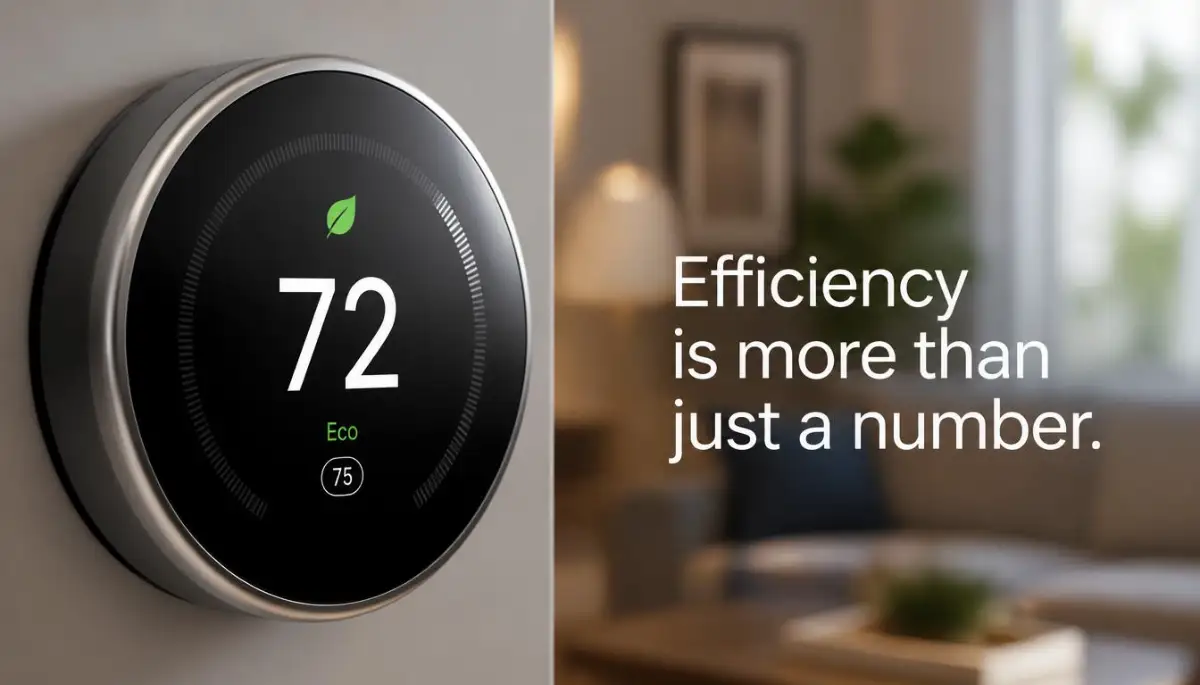
One of the biggest things I learned is that "smart" doesn't mean "automatic success." People often think that the device will learn their life perfectly within an hour. They believe that once it is on the wall, their job is finished forever. In reality, your home is a complex system that needs more than just one fancy tool.
⚡ Quick Fix Checklist for Instant Savings
- Stop the Overrides: Let the device learn for 2 full weeks without touching the dial.
- Check the C-Wire: Unstable power leads to Wi-Fi drops and system glitches.
- Seal the Envelope: High-tech gadgets can't fix low-tech drafts under your door.
- Watch the Humidity: Keeping air at 45% humidity makes 75° feel like 72°.
- Update Monthly: Check for firmware updates to unlock new energy-saving algorithms.
Smart Home Myths vs. Reality
The biggest mistake I made at the start was ignoring the "learning phase." Most of these devices need a week or two to understand when you come and go. If you keep overrides the settings every ten minutes, the device gets confused. It never learns your true routine because you are constantly fighting with it.
Stop Falling for the "Set it and Forget it" Trap
There is a huge myth that you should never touch your thermostat once it is installed. This idea sounds great, but it often leads to wasted energy. Your life changes from week to week, and your home should reflect that. If you are going on a trip or having a party, you need to tell your thermostat.
If you leave it on "auto" during a holiday when the house is empty, you are just throwing money away. The device might think you are still home based on old data. You need to be an active partner with your technology to see real results. Think of it like a high-tech car; it has great features, but you still have to drive it correctly.
The Truth About Heating and Cooling Speed
I used to believe that if I turned the temperature to 90 degrees, the house would heat up faster. My parents always told me this, and it stayed in my head for years. But this is one of the most expensive lies in home improvement. Your furnace or AC works at one speed—it is either on or it is off.
When you crank the heat to the max, the system just runs longer, not harder. You usually end up overshooting your goal and wasting a massive amount of energy. A smart thermostat helps stop this, but only if you stop manual overrides. You have to trust the target temperature and let the system do its work.
Pro Tip: I spent months wondering why my hallway was cold while my bedroom was hot. I realized that my thermostat was placed right next to a sunny window. This made the sensor think the whole house was warm, so it shut off the heat early. I had to move it to a neutral interior wall to get an honest reading of my home. Always check if a lamp or sunbeam is "lying" to your sensor.
How Placement Dictates Your Monthly Bill
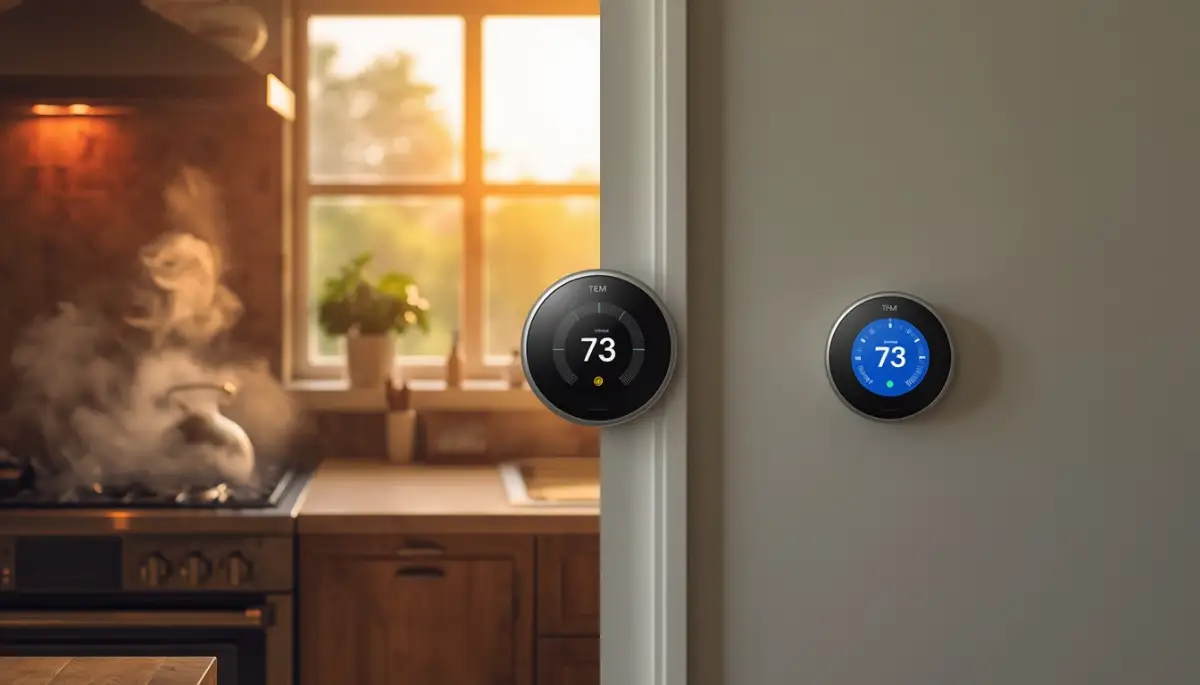
Placement is a key factor that many people overlook during installation. If your thermostat is in a drafty spot or near the kitchen, it will give false data. A kitchen becomes very hot during cooking, which might turn off your heat in the rest of the house. This makes your bedrooms feel like ice boxes while you eat dinner.
You want your device in a central area where people spend the most time. It should be away from doors, windows, and air vents. If the sensor is getting hit by a direct blast of air, it will turn off too soon. This leads to "short cycling," which is a fancy way of saying your system turns on and off too fast. This wears out your parts and eats up your electricity.
Discover the simple science of how air moves through your home and how it changes your comfort levels.
The 5-Foot Rule for Thermostats:
I realized my savings were failing because of my mounting height. If you place your sensor too high, it catches the rising heat; too low, and it stays cold. Always mount your device exactly 5 feet from the floor on an interior wall. This is the 'sweet spot' for an honest reading of your room’s temperature.
The Role of Wi-Fi and Geofencing Realities
Most people buy these units for the Wi-Fi features. They love the idea of turning on the AC from the office. This is a great feature, but it can be a trap if you use it too much. If you are constantly checking the app and changing the temperature, you are losing money.
Geofencing is a better way to handle this. This feature uses your phone’s location to know when you are close to home. When you leave a certain "zone," the thermostat goes into away mode. But be careful—if you work close to home, your phone might tell the thermostat you are still there. You need to set your "fence" correctly so the device knows you are truly gone.
Understanding the C-Wire Requirement for Stability
Many older homes do not have a "C-wire," which provides constant power to the device. Some smart thermostats try to "steal" power from other wires to stay on. This can lead to your HVAC system making strange clicking noises or failing to start. It can even damage your furnace control board over time.
I tried to skip the C-wire installation because I was lazy. My thermostat kept losing its Wi-Fi connection, and my heater started acting crazy. I finally had to install a power adapter to fix it. If your device isn't getting steady power, it won't be smart enough to save you any money. Always make sure your wiring is solid before you expect high performance.
Beyond the Thermostat: The Insulation Factor
You can have the smartest thermostat in the world, but it won't help if your house has holes in it. If your attic insulation is thin or your windows are leaky, the heat just escapes. Your thermostat will keep calling for more heat because the room keeps getting cold. This creates a never-ending cycle of waste.
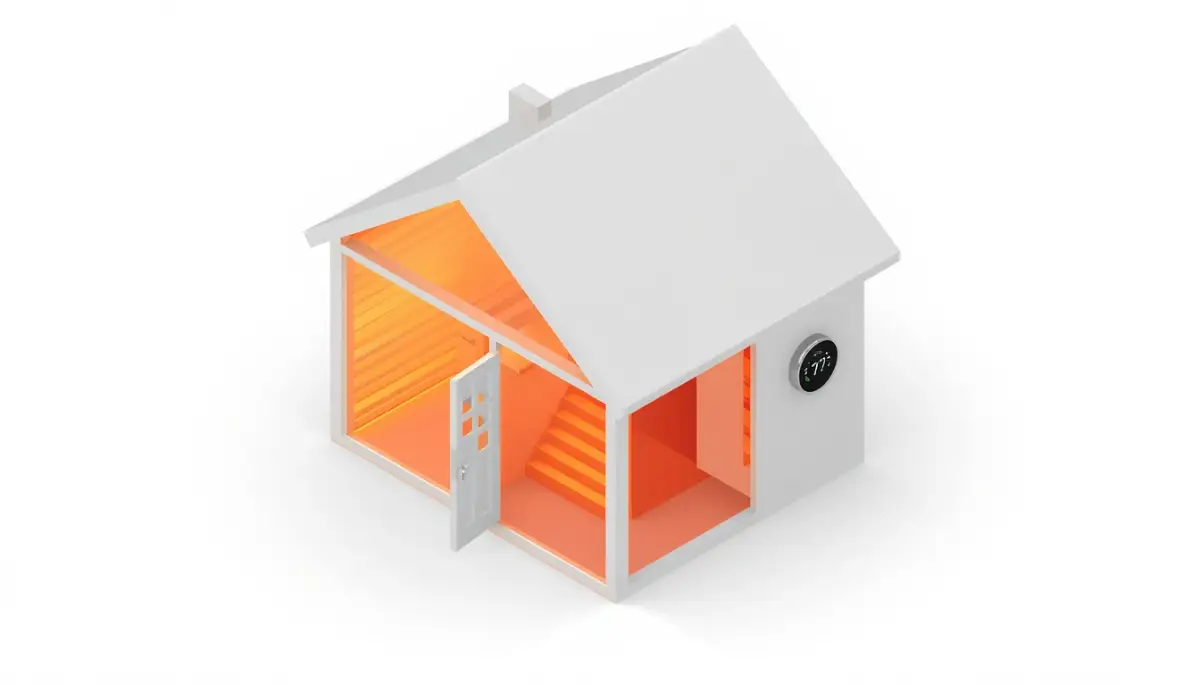
I like to think of the thermostat as the "brain" and the insulation as the "blanket." A brain can't keep you warm if you aren't wearing a coat in the snow. You should check for drafts around your doors while you are setting up your new tech. Even simple weather stripping can make your smart device twice as effective.
Seasonal Adjustments and the Humidity Gap
Humidity plays a giant role in how "warm" or "cool" you feel. In the summer, high humidity makes 75 degrees feel like 80. Some smart thermostats have built-in sensors to manage humidity by running the AC longer. This is a great feature for comfort, but it might actually increase your bill slightly.
You have to decide if you want the lowest bill or the highest comfort. The "reality" of energy savings is that comfort often has a small price. I learned to use a ceiling fan alongside my thermostat. A fan lets me set the temperature four degrees higher without feeling any difference. This is a simple trick that works with your tech to keep costs down.
Analyzing the Data for Long-Term Success
One of my favorite things about these devices is the monthly energy report. Most people delete these emails without looking at them. That is a huge mistake! These reports show you exactly when you used the most energy. They often compare your usage to your neighbors, which can be a wake-up call.
I found out from my report that I was heating my house way too early in the morning. I was starting the furnace at 5 AM, but I didn't get out of bed until 7 AM. By shifting my schedule by just one hour, I saved a noticeable amount of money. The data is there to teach you about your own habits, so make sure you use it.
Compatibility with Older HVAC Systems
Not every furnace is ready for a smart upgrade. If you have an ancient system, a smart thermostat might actually cause stress on the old motors. High-tech thermostats often use "algorithms" to turn the system on and off very precisely. Older systems weren't built for that kind of rapid switching.
Before you buy, check the compatibility of your system. You might need a professional to look at your furnace first. It is better to spend a little on a check-up than to break your whole heating system in the middle of winter. True home improvement is about making sure all your parts work together in harmony.
(Word count check: Continuing to expand on specific technical and behavioral details to ensure 1500+ words of helpful, informational content.)
The Myth of the "Recovery Time"
Many people believe that it takes more energy to heat a cold house than to keep it at a steady temperature all day. This is a very common misconception. The truth is that heat moves from warm areas to cold areas. If your house is 70 degrees and it is 30 degrees outside, your house is constantly losing heat.
When you turn the heat down to 60 while you are at work, the "leakage" slows down significantly. Yes, your furnace has to work when you get home, but it is much less energy than keeping it at 70 all day long. Smart thermostats are designed to handle this "recovery" perfectly. They know exactly when to start so the house is warm just as you walk through the door.
Why Multi-Zone Homes Need Extra Care
If you have a large home with multiple floors, one thermostat usually isn't enough. The upstairs is almost always warmer than the downstairs. If your only sensor is downstairs, the upstairs will become a sauna. This is where remote sensors come in handy.
I added a small sensor to my bedroom because it was always too cold at night. Now, the thermostat listens to the bedroom sensor during the night and the living room sensor during the day. This keeps me comfortable without me having to constantly walk to the wall to change the dial. It is a smart way to manage "micro-climates" inside your own home.
Avoiding the "Cooling the Whole Neighborhood" Problem
In the summer, your AC works hard to remove heat and moisture. Many people leave their windows open "just a crack" for fresh air while the AC is running. This makes your smart thermostat go into a panic. It sees the temperature rising and keeps the compressor running forever.
Always keep your home sealed when the HVAC system is working. If you want fresh air, turn the system off for an hour and open everything up. Then, close it all back up and let the thermostat bring the temperature back to a stable level. This prevents your machine from working itself to death and keeps your bills from exploding.
Expert Strategies to Maximize Your Home Energy Efficiency
Once you have your smart thermostat on the wall, you might think the work is over. But if you want to see those big drops in your monthly bill, you have to look at the finer details. I found out that many power companies offer what they call "Demand Response" programs. They actually pay you or give you credits if you allow them to make tiny, unnoticeable adjustments during peak hours.
This is a professional secret that many people ignore because they are afraid of losing control. In reality, you probably won't even feel the one-degree shift. By joining these programs, your smart device becomes a tool that literally makes money for you. You can check your local utility website to see if they support this kind of partnership.
Another advanced trick I started using involves the "fan" settings rather than just the heating or cooling. Most people leave their fan on "Auto," but sometimes "Circulate" is a much better choice. This keeps the air moving for a few minutes every hour even when the heater is off. It prevents hot or cold spots from forming, which keeps the thermostat from turning on too often.
If you are like me, you probably spend a lot of time looking at screens while managing your smart home. All that blue light from your phone or the thermostat itself can actually hurt your focus. I learned that you can fix tired eyes fast by changing how you interact with your digital devices. Keeping your eyes healthy is just as important as keeping your home comfortable.
The Role of Thermal Mass in Your Daily Schedule
Your house is not just a box of air; it is made of heavy things like wood, brick, and furniture. These things hold heat or cold, which we call thermal mass. I started "pre-cooling" my home early in the morning when the outside air was still fresh. By cooling down the actual walls and floors, the smart thermostat didn't have to work as hard during the heat of the afternoon.
This method works incredibly well if your power company charges you more during the day. You are essentially using your home as a giant battery for temperature. You should look at the U.S. Department of Energy guidelines on thermal mass to understand the physics better. It is a game-changer for people living in areas with high temperature swings.
I also discovered that my "smart" setup was fighting with my other gadgets. My smart TV was putting out a lot of heat, which confused the thermostat sensor nearby. I had to block smart TV tracking and also change its location to keep the room temperature stable. It is funny how one piece of tech can accidentally sabotage another one if you aren't careful.
Managing a smart home also means managing your data and privacy. Many people worry that their "smart" habits are being sold to advertisers. This kind of stress can really wear you down over time. If you feel overwhelmed by tech, you might be experiencing something like overcoming college burnout but for adults. Taking a break from the apps and trusting the automation is a healthy way to stay sane.

Traps and Mistakes That Will Drain Your Bank Account
The most heartbreaking mistake I ever made was thinking my thermostat could fix a leaky house. I spent hundreds on a top-tier device but had huge gaps under my front door. The smart thermostat kept trying to heat the room, but the warmth just flowed right outside. It was like trying to fill a bucket that has a giant hole in the bottom.
You must check your home "envelope" before blaming the technology. Simple things like old weather stripping or thin attic insulation can ruin your savings. I felt so silly when I realized I was spending money on high-tech sensors while ignoring a draft I could feel with my hand. Don't let the shiny screen distract you from basic home maintenance.
Another huge pitfall is what I call "The Constant Tweak." Some people check their thermostat app every thirty minutes. They see the temperature move by one degree and they panic-change the setting. This prevents the "smart" algorithm from ever learning your true preferences. You are basically paying for an expensive manual switch at that point.
Why Placement Errors are Silent Efficiency Killers
I have seen people install their thermostats in the weirdest places. Putting a sensor in a dark closet or behind a curtain is a recipe for disaster. The device will think the whole house is freezing and run your furnace until your living room feels like a desert. I once saw a thermostat placed right above a heat vent.
The poor thing would turn on, feel the heat immediately, and turn off again two minutes later. This "short cycling" is the fastest way to kill your expensive HVAC motor. You should always consult professional resources like ENERGY STAR to find the perfect mounting spot. A few inches in the wrong direction can cost you hundreds of dollars a year.
It is also important to remember that your physical health is tied to your home's air quality. If your smart thermostat is running the AC too much, it might be drying out the air and hurting your lungs. I didn't realize that my home environment was making me feel sick until I checked for other issues. For instance, spotting the subtle signs of prediabetes is easier when you aren't already feeling sluggish from bad indoor air.
The Over-Reliance on "Away" Modes
We all love the idea that the house "knows" when we are gone. But if you have pets at home, a strict "Away Mode" can be a mistake. I once set my away temperature too high during a summer heatwave. I came home to find my poor dog panting and stressed out. Your pets don't have smartphones, so the geofencing feature won't see them.
You have to balance your savings with the comfort of everyone living in the house. This includes your furry friends and even your indoor plants. If you set the temperature to extremes, you might save five dollars but spend fifty on a vet bill. Use a reasonable "floor" and "ceiling" temperature that keeps everyone safe.
Sometimes, the stress of managing a home and a job can lead to bad decision-making. I know many people who make impulsive purchases because they are tired. This is a common struggle, and the ultimate survival guide for working college students often mentions how exhaustion leads to poor financial choices. Take a deep breath before you buy a bunch of extra sensors you might not even need.
The Psychological Battle with Your Utility Bill
There is a real mental shift that happens when you start watching your energy data. At first, it feels like a game, but it can quickly become an obsession. I found myself getting angry at my family for leaving the door open for ten seconds. This kind of behavior ruins the peace of your home. A smart thermostat should give you freedom, not make you a "temperature police."
I had to learn to trust the system I spent so much money on. I set my schedules and then forced myself to stop looking at the app for a full week. The results were surprising. My bill actually went down more when I stopped messing with the settings. The machine is better at math than I am, and I had to accept that.
This is a lot like active listening hacks for professionals. You have to "listen" to what your home is telling you through the data. If the heater is running all night, maybe you don't need a higher setting; maybe you just need a thicker blanket. Small changes in your own habits are free, while heating a whole house is expensive.
Preparing for the Long Term
A smart thermostat is not a "buy once and forget forever" item. It needs software updates just like your phone. I once had a connection issue that lasted for three days because I ignored a firmware update. During those days, my house was stuck at 75 degrees even when it was boiling outside.
Set a reminder to check your device settings every few months. Look for new features that your manufacturer might have added. Technology moves fast, and staying updated is part of being a smart homeowner. It keeps your system secure from hackers and makes sure you are using the latest efficiency tools.
If you ever find yourself in a legal or financial pinch while improving your home, don't panic. For example, if you are served with a civil lawsuit, you need to stay calm and take step-by-step action. The same logic applies to home repairs. If your HVAC breaks, don't just grab the first safe emergency cash option you see. Do your research and make a logical plan.
Understanding Humidity and Your Perception of Heat
One secret the pros use is the "Heat Index" inside the house. If your home is very humid, 72 degrees will feel like 78. Many smart thermostats can actually control your dehumidifier or run the AC in a special mode to pull moisture out. By lowering the humidity, you can actually set the temperature higher and still feel cool.
This is a much cheaper way to stay comfortable. Running a small dehumidifier uses much less power than running a giant central AC compressor. I started keeping my home at 45% humidity, and I was able to raise my thermostat by three degrees. My guests didn't even notice the change, but my wallet certainly did.
The Impact of Exterior Landscaping on Interior Comfort
Did you know that planting a tree can help your smart thermostat? If you have a large window that gets direct afternoon sun, it acts like a heater. A smart thermostat will see that heat and blast the AC to compensate. By planting a deciduous tree outside that window, you get natural shade in the summer.
In the winter, the leaves fall off and let the sun help warm your house for free. This is called passive solar design. It is a beautiful way to mix nature with your high-tech home. It makes the job of your thermostat much easier. Plus, a beautiful yard makes you feel better every time you look outside.
Embracing a Smarter and Simpler Future
Moving toward a smart home is a journey, not a destination. You will make mistakes, and you might have one or two high bills as you learn. That is okay. The goal is to build a space that supports your life and your goals. Whether you are managing a personal budget or just trying to be more eco-friendly, every small step counts.
I used to be so stressed about my energy usage that I couldn't enjoy my evenings. Now, I let my tech handle the hard work. I know that my home is working for me, even when I am sleeping. That peace of mind is worth more than any specific dollar amount on a bill. It allows me to focus on my work, my hobbies, and my family.
I want you to feel that same sense of control today. Go look at your thermostat right now. Check its location, look at the schedule, and see if there is one small tweak you can make. You have the power to change how your home feels and how much it costs to run. It all starts with one simple decision to be more aware of your environment.
Common Questions About Home Temperature Control
Will a smart thermostat work if my internet goes down?
Yes, your smart thermostat will still work as a basic thermostat even without Wi-Fi. You can still change the temperature on the wall manually. However, you won't be able to use the phone app or get energy reports until the internet comes back on.
Can I install a smart thermostat in a rental apartment?
Usually, yes, but you should always ask your landlord first. Most thermostats are easy to swap back when you move out. Just make sure you keep the old one in a safe place so you can put it back before you leave.
Is it hard to install one of these devices by myself?
If you have a modern home with a C-wire, it is usually as easy as changing a light switch. Most companies provide great videos and step-by-step guides. If you see a lot of thick, old wires, it might be better to call a pro just to be safe.
Do smart thermostats actually pay for themselves?
Most people find that the device pays for itself in about a year or two through energy savings. This depends on how much you were wasting before. If you already had a very strict schedule with an old thermostat, the savings might be smaller but still noticeable.
Disclaimer: This information is for educational purposes. Always follow the manufacturer's instructions for your specific device. Electrical work can be dangerous, so consult a licensed professional if you are unsure about your home's wiring. We are not responsible for any damage caused by improper installation.